Thai font · COMMERCIAL
Leelawadee
ลีลาวดี

Information verified as of June 2026
อ่านหน้า ฟอนต์ Leelawadee เป็นภาษาไทย — พร้อมลิงก์ดาวน์โหลดและวิธีติดตั้ง →
Get Leelawadee from the foundry →
How to install & use
- Windows — Download the .zip, unzip it, then right-click the .ttf/.otf file → “Install”.
- macOS — Double-click the .ttf/.otf file, then click “Install Font” in Font Book.
- Web — A webfont license from the foundry is required before embedding on a website.
- Microsoft Word — For documents in Microsoft Word: install the font, then pick it from the font menu before typing.
Preview Leelawadee
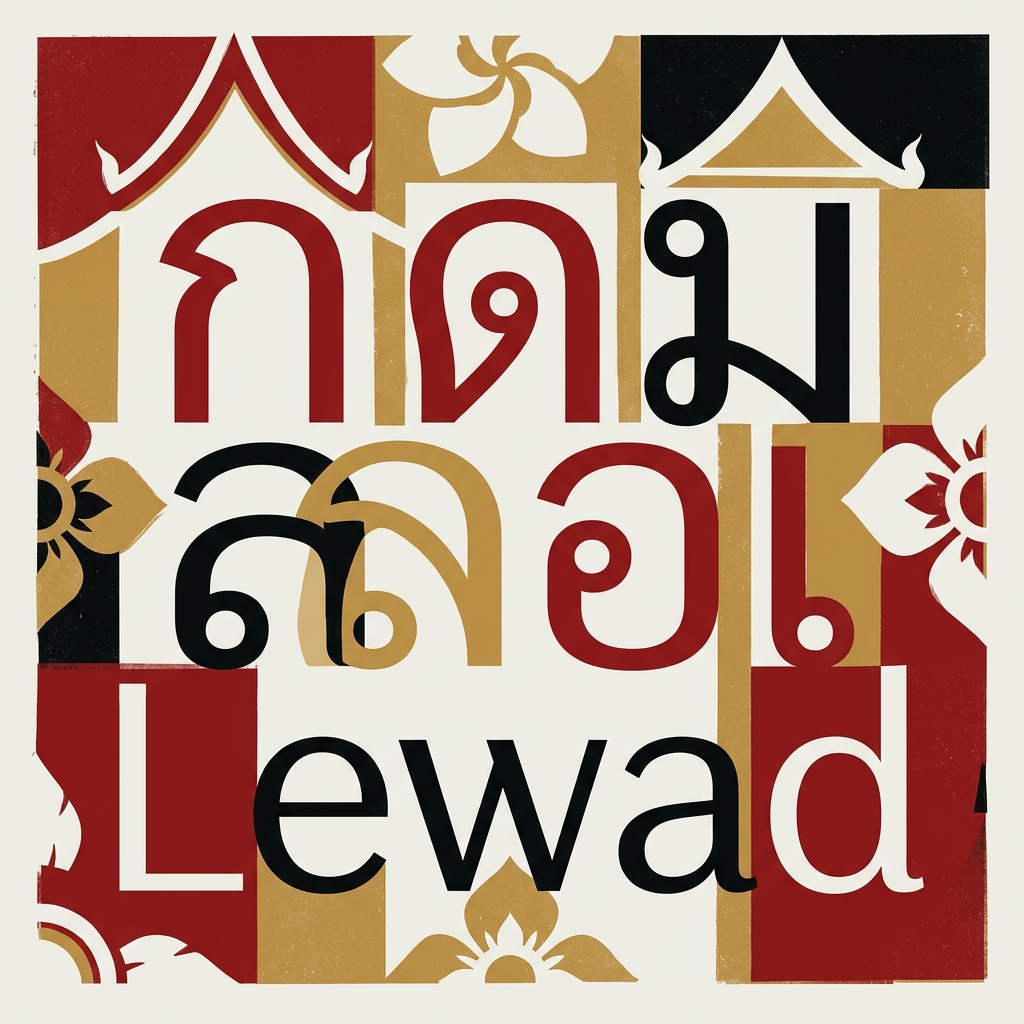
Leelawadee is a foundry/desktop font, so it can’t be embedded as a free webfont for a live preview here. See the specimen above for the real letterforms, or load your own text into the Thai Font Tester to compare it against the free Google Fonts alternatives.
What Leelawadee is
Leelawadee is Microsoft’s looped Thai sans serif, supplied with Windows since Vista, and the basis of Leelawadee UI — the family Windows 8.1 and later use to render Thai in the interface. Microsoft’s typography documentation lists two families: Leelawadee in Regular and Bold, and Leelawadee UI in Regular, Semilight, and Bold.
The name is the Thai word for the plumeria flower (ลีลาวดี). Microsoft’s font list credits no individual designer; the copyright sits with Microsoft Corporation. Where Angsana New and Cordia New carried two decades of Thai office documents from the print era into Word, Leelawadee was drawn for screens, and Leelawadee UI now does the work Tahoma once did in Thai Windows installations.
Character design and tone
Leelawadee keeps traditional looped Thai letterforms — closed circular heads on consonants such as ก and ภ — with low contrast between thick and thin strokes, a combination Adobe’s specimen notes describe as designed for legibility onscreen. The result reads as nearly monolinear, neutral, and administrative-modern.
The Latin half is not an afterthought. Capitals and lowercase derive from Segoe UI, with documented adjustments: a narrower capital M with raised apex, tails on the lowercase i and l, and a serif-free capital I. A Thai-English paragraph set in Leelawadee therefore sits comfortably next to standard Windows UI text. Against Cordia New, the older bundled looped sans, Leelawadee holds up better at small screen sizes because its loops are larger and its strokes more even.
Weights and availability
Leelawadee ships in two cuts, Regular and Bold; Leelawadee UI adds a Semilight and extends script coverage to Lao, Buginese, and Khmer alongside Thai and Latin. Neither family has italics.
Microsoft’s product tables list Leelawadee from Windows Vista (font version 5.00) through Windows 7, 8, 8.1, 10, and 11, plus Windows Server 2008. Leelawadee UI appears from Windows 8.1 onward. Both families are also available inside Office applications as cloud fonts. There is no Thin, no Black, and no plan Microsoft has published to extend the weight range.
Where Leelawadee comes from
Leelawadee arrives with a licensed copy of Windows or Office; Microsoft offers no standalone download. Designers get it three legitimate ways: a Windows machine, an Office installation, or — for Leelawadee UI — an Adobe Fonts activation under a Creative Cloud subscription, which Adobe’s terms cover for design projects, website publishing, PDFs, and video. Enterprise redistribution and self-hosting require a separate licence through Microsoft’s typography licensing channel.
The trap is the web. Because the font sits on effectively every Thai Windows machine, CSS stacks can reference 'Leelawadee UI' as a system fallback at no cost — but extracting the TTF and serving it via @font-face breaches Microsoft’s redistribution terms, and macOS and Android visitors never had the font in the first place. A Windows-only font stack fails silently for half a Thai audience.
Free alternatives
Sarabun is the closest open substitute: a looped Thai sans built for documents and interfaces, free on Google Fonts in eight weights. It covers everything Leelawadee does and adds the light and italic cuts Microsoft never drew.
Noto Sans Thai is the safer choice for multilingual products; its looped Thai matches the rest of the Noto system and ships in a full weight range. Niramit offers a looped sans with more warmth for editorial settings. All three carry open licences that permit web embedding, which Leelawadee does not.
Best use cases
Leelawadee UI is the correct choice when the brief is to match the Windows system look in Thai. Strong briefs:
- Windows desktop applications localised into Thai, where the UI font should match the OS
- Office templates, Word documents, and PowerPoint decks circulated inside Windows-standardised Thai organisations
- Internal tools and intranets viewed exclusively on managed Windows fleets
Where it does not fit: public websites (no web licence, no cross-platform presence), brand identities, and print editorial. For those, the open alternatives above do the job without the licence question.
Pairings
Segoe UI is the natural Latin partner, since Leelawadee’s own Latin already derives from it. Three pairings:
- Segoe UI — the documented source of Leelawadee’s Latin glyphs; bilingual Windows UI stays uniform
- Sarabun — open looped sans for documents that must travel beyond Windows
- Cordia New — legacy continuity in organisations migrating old Thai Office templates
See /learn/typography/ for bilingual system notes.
Licensing
Leelawadee is proprietary Microsoft software, licensed through Windows and Office, with web and redistribution rights sold separately. It cannot be self-hosted, embedded, or shipped inside non-Microsoft products on the bundled licence alone. Leelawadee UI is usable under a Creative Cloud subscription via Adobe Fonts; enterprise terms run through Microsoft’s licensing pages. For projects that need open terms, Sarabun and Noto Sans Thai substitute cleanly. Verify current terms at the Microsoft Typography Leelawadee entry.
Frequently asked questions about Leelawadee
Is Leelawadee free to use?
No — Leelawadee is a commercial typeface. You need to buy a license from Microsoft before using it in a project. Check the license tiers for desktop, web, and app use separately.
How many weights does Leelawadee have?
Leelawadee ships in 2 weights: Regular, Bold. Pick a heavier weight for display and headlines, and a Regular or lighter weight for body text and long-form reading.
Does Leelawadee support Latin and English characters?
Yes — Leelawadee includes a Latin character set alongside Thai, so it can set English and Thai in one typeface. That makes it a practical choice for bilingual branding, packaging, and UI.
Where can I download Leelawadee?
Get Leelawadee from Microsoft. Use the download/license button at the top of this page for the official source — avoid third-party font sites, which often ship outdated or unlicensed files.
What fonts are similar to Leelawadee?
The closest alternatives to Leelawadee are Sarabun, Noto Sans Thai, Niramit. They share a similar style and use case, so they’re the first faces to compare if you need a different weight range, license, or price.
Who designed Leelawadee?
Leelawadee was designed by Microsoft, released in 2007. Full designer credit and the primary source are listed at the bottom of this page.
Information verified as of June 2026
Sources
- Leelawadee ships in Regular and Bold, carries a Microsoft Corporation copyright, and is supplied with Windows from Vista (version 5.00) through Windows 11 and with Office.—Microsoft Typography font list, Leelawadee entry (accessed Jun 13, 2026)
- Leelawadee UI ships in Regular, Semilight, and Bold with Windows 8.1, 10, and 11, and its script tags cover Thai, Lao, Buginese, and Khmer alongside Latin.—Microsoft Typography font list, Leelawadee UI entry (accessed Jun 13, 2026)
- Leelawadee is a sans serif with traditional Thai letter shapes including closed loops, low stroke contrast for onscreen legibility, and Latin glyphs derived from Segoe UI; Leelawadee UI is available to Creative Cloud subscribers through Adobe Fonts.—Adobe Fonts, Leelawadee UI from Microsoft (accessed Jun 13, 2026)