illustrator tutorial · intermediate · 60 min
Drawing the Lai Kanok Pattern in Illustrator

Information verified as of April 2026
What you’ll make
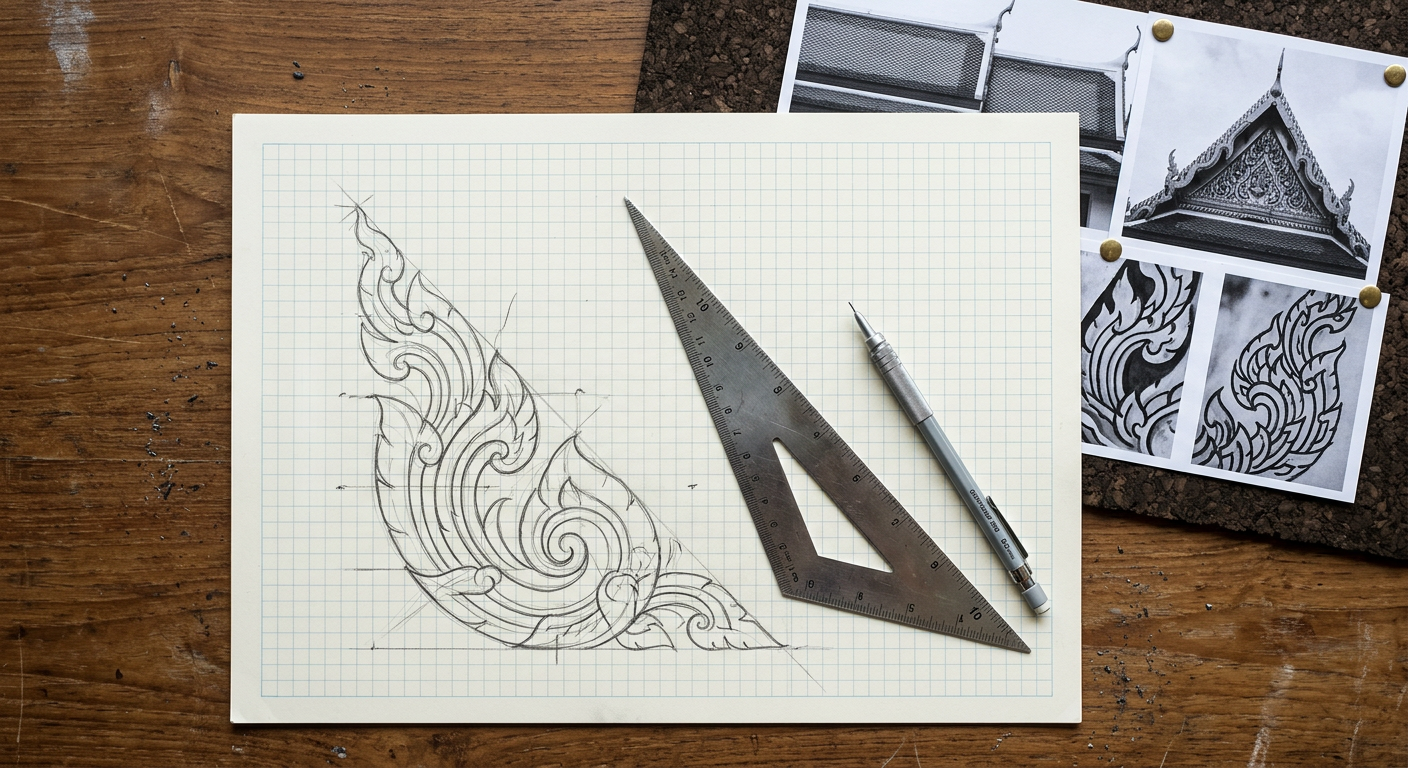
A clean, grid-correct Lai Kanok (flame) motif vector in Illustrator, constructed on the Fine Arts Department’s traditional 19-point symmetry grid with the canonical 1:2.5 base-to-height ratio, output as a seamless border tile. The resulting vector is royalty-free (your own construction, not a traced reference) and drops into any future Thai project as a Symbol or Brush pattern. The method below is the construction convention taught in Silpakorn’s Decorative Arts faculty; learning it once means never having to trace a Lai Kanok from Pinterest again.
What you need
- Software: Adobe Illustrator 2025 or newer.
- References: Photograph or scan of a traditional Lai Kanok you admire — temple pediment, royal barge, or textile. This tutorial uses the Wat Phra Kaew gate pediment as the reference form.
- Colors: Thaitone Thong gold (#D4A029) for the fill, Thaitone Daeng crimson (#C5242C) for the background. Swatches at /colors/thaitone/.
- Grid: A 19-point underlay grid. The template is free at /patterns/downloads/ as
lai-kanok-grid-19.ai. - Time: 60 minutes. The first motif is slow; subsequent ones take 15 minutes once the grid is internalised.
- Cultural context: Lai Kanok represents the sacred fire of purification in Hindu-Buddhist cosmology. Symmetry and proportion are not stylistic choices — they are ritual requirements. A Lai Kanok with broken symmetry reads as irreverent.
Step 1: Set up a print-resolution square artboard
File > New > Print, Width 800 mm, Height 800 mm, Color Mode CMYK, Raster Effects High (300 ppi). Save as lai-kanok-master.ai. Open View > Rulers and View > Smart Guides (Cmd/Ctrl+U). We work at 800 mm so small proportion errors at motif scale become visible at grid scale. You scale down for the deliverable after the geometry is locked. Create two layers in the Layers panel: Grid (locked after setup) and Motif (active drawing layer).
Step 2: Construct the 19-point symmetry grid
On the Grid layer, draw a vertical centerline using the Line tool (\) from top to bottom of the artboard. Draw a horizontal baseline at 80% from top. Measure the base width: 200 mm centered on the centerline. Above the baseline, divide the vertical distance into 10 equal horizontal rows spaced 60 mm apart. The 19 grid points fall at: 1 centerline apex, 2 flanking points at row 10, 4 points at rows 7–8, 6 points at rows 4–6, 6 points at rows 1–3 flanking the baseline. See the reference diagram on the pattern page. Lock the Grid layer (Cmd/Ctrl+2).
Step 3: Draw the primary flame curve
On the Motif layer, select the Pen tool (P). Click the apex (top centerline point). Second click at the row-7 left-flanking point and drag the handle to curve outward — this is the outer lobe of the primary flame. Continue anchor points at rows 5, 3, and the baseline left endpoint. Close the path by tracing back along the centerline upward. You now have the left half of the primary flame. Select the entire left half (V select + Alt-drag) and duplicate with Shift held; Object > Transform > Reflect > Vertical gives you the mirrored right half. Align both halves to the centerline (Window > Align > Horizontal Align Center to Artboard). Unite (Window > Pathfinder > Unite or Cmd/Ctrl+Shift+F9). The primary flame shape is done.
Step 4: Add the inner echoes
Traditional Lai Kanok nests two smaller flame echoes inside the primary. On the Motif layer, select the primary flame path. Object > Path > Offset Path, Offset -18 mm, Joins Round. This creates a scaled-inside path — the first echo. Repeat with Offset -15 mm from the first echo to produce the second (smallest) echo. Three nested flames is the canonical Lai Kanok form; four-echo versions exist for royal contexts. Select all three paths, open the Appearance panel, and assign each a different fill opacity: primary 100%, first echo 70%, second echo 40% — all in Thong gold. The overlapping transparencies produce the characteristic Lai Kanok tonal depth.
Step 5: Sharpen the flame tips with Shape Builder
The flame tips must terminate in sharp points, not rounded arcs. Select all three paths. Switch to the Shape Builder tool (Shift+M). Drag across the apex region to merge the overlapping path segments at the tip. For each tip, use the Direct Selection tool (A), click the anchor, and adjust handle length to zero (use the Control bar Convert Anchor Point to Corner button). Traditional Lai Kanok tips are corners, not curves — this is the single most common modernisation mistake and the easiest to correct at this stage.
Step 6: Add the curl at the base (the kanok hook)
The base of each Lai Kanok has a characteristic inward curl — the visual signature that distinguishes Lai Kanok from generic flame motifs. Using the Pen tool, draw a small spiral curl inside the baseline corner of the left side of the primary flame. Keep it inside the outermost path, roughly 12 mm across. Mirror to the right side. Window > Pathfinder > Unite with the primary path. The curl must touch the baseline, not float above it. Check against your reference photograph.
Step 7: Convert to a pattern brush for repeating borders
Drag the finished Lai Kanok group into the Swatches panel to save as an art reference. Open Window > Brushes > New Brush > Pattern Brush. Set Spacing 0%, Colorization Method Tints (lets you recolor per-project without redrawing). Click OK. Test by drawing a horizontal line with the Line tool, then apply the new brush from the Brushes panel — you now have a repeating Lai Kanok border. Save the file. File > Export > Export As > SVG for web use (Embed fonts: Convert to Outlines; Minify; Responsive: checked). The SVG exports clean under 20 KB for a standalone motif and is ready to drop into any other Thai design project.
Cultural considerations
Lai Kanok is a sacred motif with non-negotiable construction rules: the three core constraints are symmetry, proportion, and the 19-point grid. Each rule is documented in the Fine Arts Department’s Traditional Thai Ornamental Patterns reference (FAD, 2016).
- Bilateral symmetry. A standalone Lai Kanok is always symmetric across the vertical axis. Asymmetric variants exist only as part of interlocking chains (Lai Kanok Khrua) where the asymmetry is intentional rhythm, not accident.
- The 1:2.5 base-to-height ratio. This is the single proportion that separates a Lai Kanok from a decorative flame. Variations outside 1:2.2 to 1:2.8 read as generic.
- The baseline curl. Without the inward curl at the base, the motif is a flame, not a Lai Kanok.
- Sharp apex. Rounded tips are a modernisation error. Keep them corners.
- Sacred context. Lai Kanok is appropriate for temples, royal contexts, ceremonial design, and heritage branding. It is inappropriate for food packaging, comedy, or casual commercial work — use Mek Lai (clouds) or Lai Dok Mai (flowers) for non-sacred contexts.
Common mistakes
- Non-proportional scaling after construction. Breaks the 1:2.5 ratio. Always scale uniformly.
- Rounded apex. Flame motif, not Lai Kanok.
- Skipping the inner echoes. Single-path Lai Kanok reads as flat. Three-nest construction is minimum.
- Using gradients instead of overlapping opacities. The traditional tonal depth comes from opacity stacking, not from a linear gradient.
- Applying in non-sacred contexts. Pairing Lai Kanok with fried-chicken branding is a recognisable cultural error in Thai design circles.
Source files and next steps
Download the 19-point grid template and three sample Lai Kanok vectors from /patterns/downloads/. Color swatches at /colors/thaitone/. For deeper pattern context read the Thai Pattern Library pillar and the individual Lai Kanok pattern page. Next: Vectorizing Traditional Thai Motifs in Illustrator extends the same workflow to Mek Lai, Dok Mai, and Pra Jum Yam.
Information verified as of April 2026
Sources
- Lai Kanok's traditional geometric construction uses a 19-point grid dividing the motif into three nested flame tips, with a base-to-height ratio of approximately 1:2.5.—Fine Arts Department, Ministry of Culture, Thailand — Traditional Thai Ornamental Patterns (FAD Publications, 2016 edition) (accessed Apr 6, 2026)
- The Lai Kanok motif first appears in formalised form on Sukhothai-period (1238–1438 CE) stucco work at Wat Si Chum and Wat Mahathat.—Stratton, C. (2004). Buddhist Sculpture of Northern Thailand. Silkworm Books. (accessed Apr 7, 2026)
- Lai Kanok appears in over 90% of surviving Thai Buddhist temple pediments nationwide, making it the most widely applied decorative motif in Thai architecture.—Fine Arts Department, Ministry of Culture, Thailand — Architectural Survey of Thai Buddhist Temples (FAD, 2020) (accessed Apr 6, 2026)
- Illustrator's Shape Builder tool combined with the Pathfinder Minus Front operation is the standard modern workflow for recreating traditional Thai ornamental vectors.—Adobe — Illustrator User Guide: Shape Builder and Pathfinder (2024 revision) (accessed Apr 6, 2026)