Thai font · COMMERCIAL
Sukhumvit Set
สุขุมวิท

Information verified as of September 2026
อ่านหน้า ฟอนต์ Sukhumvit Set เป็นภาษาไทย — พร้อมลิงก์ดาวน์โหลดและวิธีติดตั้ง →
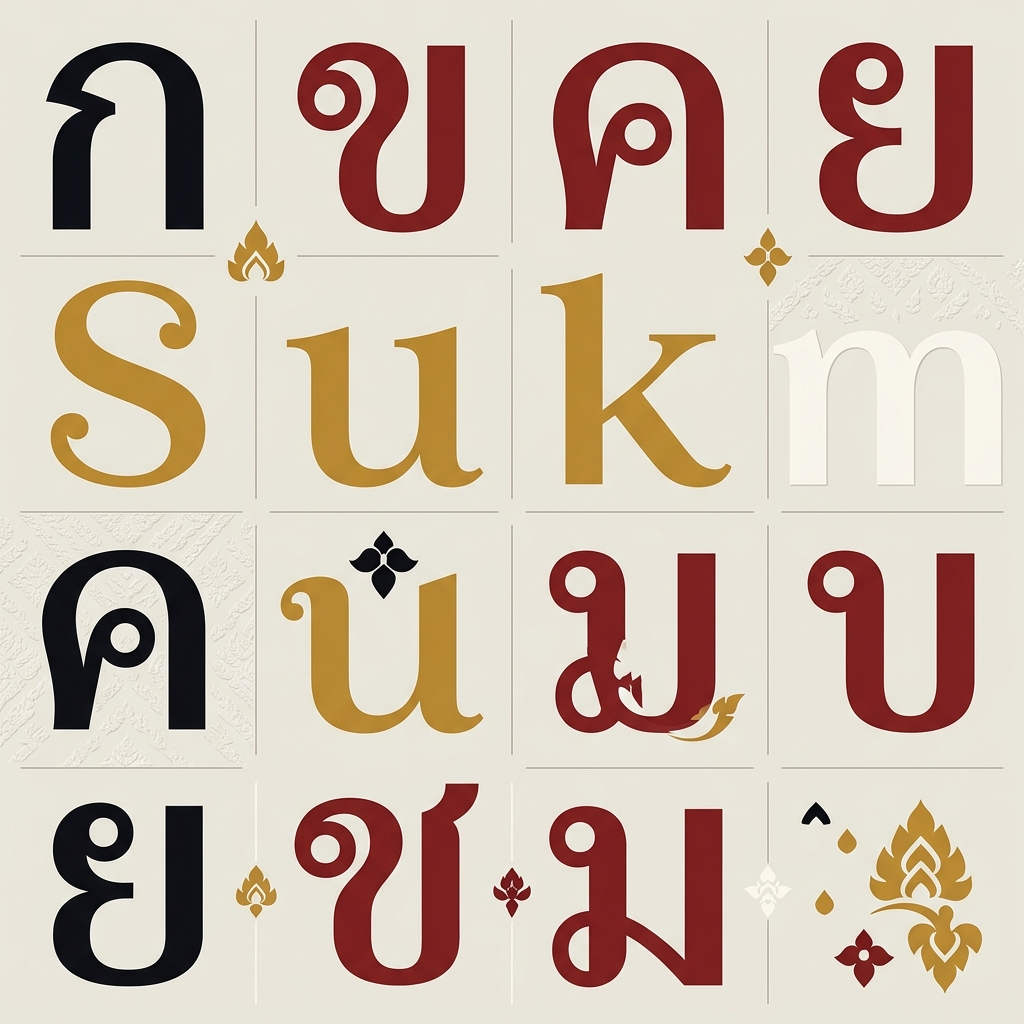
Get Sukhumvit Set from the foundry →
How to install & use
- Windows — Download the .zip, unzip it, then right-click the .ttf/.otf file → “Install”.
- macOS — Double-click the .ttf/.otf file, then click “Install Font” in Font Book.
- Web — A webfont license from the foundry is required before embedding on a website.
- Microsoft Word — For documents in Microsoft Word: install the font, then pick it from the font menu before typing.
Preview Sukhumvit Set
Sukhumvit Set is a foundry/desktop font, so it can’t be embedded as a free webfont for a live preview here. See the specimen above for the real letterforms, or load your own text into the Thai Font Tester to compare it against the free Google Fonts alternatives.
Sukhumvit Set (ฟอนต์สุขุมวิท) is the loopless Thai sans that ships with the Mac. If you searched because you want it on Windows, iPhone or Android, the first section says exactly where it lives and what you can do. Its origins, the Sukhumvit Tadmai difference, weights, licence and the free substitute follow.
Can you use Sukhumvit Set on Windows, iPhone and Android?
Sukhumvit Set ships only with macOS. On iPhone and iPad it is available to documents but is not the system font (the Thai system font on iOS is Thonburi). Windows and Android do not have it and there is no legitimate way to add it, because section 2.E of Apple’s Software License Agreement permits the bundled fonts to be used only “while running the Apple Software”. The legitimate routes are to licence Sukhumvit Tadmai from Cadson Demak, or to use Prompt for free.
| Device | Has Sukhumvit Set? | What you can do |
|---|---|---|
| Mac | Yes — six weights in Font Book | Document and design work on that Mac; the file may not be passed on |
| iPhone / iPad | Yes, as “document support” | Usable in document apps; the iOS Thai interface uses Thonburi |
| Windows | No | Licence Sukhumvit Tadmai, or install Prompt for free |
| Samsung / Android | No | Default Thai font is Noto Sans Thai; use Prompt in apps and on the web |
On Mac
All six weights of Sukhumvit Set are already on the Mac. Apple’s Fonts included with macOS Sonoma lists Sukhumvit Set Thin, Light, Text, Medium, Semi Bold and Bold at version 17.0d1e2 and notes that “most of these fonts are installed and enabled automatically”. Apple’s System Fonts list tags all six as “macOS system font”.
The scope of use is licence section 2.E: “you may use the fonts included with the Apple Software to display and print content while running the Apple Software; however, you may only embed fonts in content if that is permitted by the embedding restrictions accompanying the font in question”. Display and print on the Mac: yes. Embedding in a PDF: as far as the permission shown in Font Book → Show Font Info allows. Copying the file to another machine: no.
On iPhone and iPad
Present, but not the system font. Apple’s developer list tags Sukhumvit Set “iOS document support” and “watchOS document support”, whereas Thonburi is tagged “iOS system font” — so the Thai text in iPhone menus and apps is Thonburi, and Sukhumvit Set is there so documents that specify it render correctly. iOS has no system-font switch; per the iPhone User Guide, fonts added from the App Store are for “documents you create” and are managed under Settings → General → Fonts. The 2013 episode in which Apple trialled Sukhumvit as the iOS 7 system font and reversed course is covered under “Character design and tone”.
On Windows
Windows does not have Sukhumvit Set. Microsoft’s Windows 11 font list contains no Sukhumvit entry at all. The Thai fonts on Windows are Leelawadee UI in the default install, plus Leelawadee, Cordia New and the UPC families in the optional Thai Supplemental Fonts feature — all looped designs, none of them a stylistic stand-in for Sukhumvit Set. Teams that need Sukhumvit on Windows legitimately have two routes: licence Sukhumvit Tadmai from Cadson Demak, which covers desktops on every platform per the licence bought, or install Prompt for free.
On Samsung and Android
Android does not have Sukhumvit Set. Android’s default Thai face is Noto Sans Thai, per the Android system font configuration — also loopless. On Samsung, the system font changes only through the Galaxy Store via Settings → Display → Font size and style → Font style → Download fonts, per Samsung’s guide. Sukhumvit Set files extracted from macOS and pushed in through third-party font apps sit outside Apple’s licence.
The free font that installs everywhere: Prompt
The properly licensed substitute that installs on Windows, Mac, iPhone and Android alike is Prompt — a loopless Thai sans from the same foundry, Cadson Demak, in nine weights with italics under the SIL Open Font License, free from Google Fonts. To install:
- Windows — right-click the .zip → Extract, then right-click the font files → Install, per Microsoft’s guide
- Mac — double-click the font file in Finder and click Install, per Apple’s Font Book guide
- iPhone / iPad — install through a font-manager app from the App Store and manage under Settings → General → Fonts; usable in document apps
- Android / Samsung and the web — use it in apps that accept font files, and embed it with
@font-faceor load it from Google Fonts, with full OFL rights
Other free options are compared under “Free alternatives to Sukhumvit Set” below.
What Sukhumvit Set is
Sukhumvit Set is the loopless Thai sans bundled with macOS, designed in 2012 by Anuthin Wongsunkakon of Bangkok type foundry Cadson Demak for client Apple Inc. The AGI (Alliance Graphique Internationale) record states the brief plainly: a Thai family for marketing communication, assigned to sit side by side with Myriad Pro — the Latin face Apple used across its marketing at the time.
On a Mac, Sukhumvit Set is simply there: six weights in Font Book, no purchase, no download. That convenience is also the licensing boundary — the font arrives as part of the operating system, not as a product that can be bought or moved separately. The sections below cover where it comes from and what the licence permits.
It sits on macOS alongside Apple’s other Thai faces, Thonburi, Krungthep and Silom, all bundled under the same terms.
Sukhumvit Set vs Sukhumvit Tadmai
Sukhumvit Set is the version Apple ships with the system; Sukhumvit Tadmai is the family Cadson Demak developed from the same work and sells through its own catalogue. If you are looking for a Sukhumvit you can properly licence, the answer is Tadmai, not Set.
Slanted’s record of the family states that Sukhumvit Tadmai was developed from Sukhumvit with modified glyph details and recalculated proportions for screen readability. Initial weights were released in 2013; width adjustments plus Lao and Khmer support arrived in 2021. Credited designers are Anuthin Wongsunkakon and Stawix Ruecha for Thai and Latin, Suppakit Chalermlarp for Lao, and Sovichet Tep for Khmer.
The decisive difference is range. Sukhumvit Set on macOS gives six weights. Sukhumvit Tadmai runs ten — Air, Ultra Light, Thin, Light, Text, Medium, Semi Bold, Bold, Extra Bold, Heavy — with italics throughout. For a brand system that needs both a hairline and a heavy, Tadmai is the only one of the two that gets there.
| Sukhumvit Set | Sukhumvit Tadmai | |
|---|---|---|
| How you get it | Bundled with macOS | Licensed from Cadson Demak |
| Weights | 6 | 10, with italics |
| Italics | None | Every weight |
| Usable on Windows | No | Yes, per licence |
| Usable as a webfont | No | Yes, with a web licence |
Character design and tone
Sukhumvit Set is loopless: the small circular heads that traditional Thai faces put on consonants such as ก and ถ are reduced to plain stroke ends. Typotheque records the convention clearly — in Thai typographic usage, loopless faces with bolder letterforms tended to be cast as headlines, while thinner-stroked looped faces carried long columns of body text. A loopless system default therefore reads modern to some Thai eyes and stripped-down to others.
That split played out publicly. Typotheque records that Sukhumvit was used as a new system font in a beta version of iOS 7, drew strong negative feedback from users, and Apple reverted to the previously used Thonburi. It is the clearest documented case of loopless Thai failing as small-size body text while remaining well liked in display use — and Apple’s current font list still reflects the outcome: Thonburi is the “iOS system font”, Sukhumvit Set is “iOS document support”.
Next to Myriad Pro, the intended Latin partner, Sukhumvit Set reads as a sibling: open counters, even stroke weight, quiet geometry — exactly the side-by-side relationship the AGI brief describes.
Sukhumvit Set weights (Thin, Semibold, Bold)
macOS Sonoma lists Sukhumvit Set in six weights — Thin, Light, Text, Medium, Semi Bold, and Bold — with no italics. “Text” is the body cut; the name signals where Cadson Demak expected continuous reading to happen, rather than at a conventional Regular.
- Thin — very large sizes only; key-visual headlines, never small text
- Light — subheads and labels that want a lighter register
- Text — the intended body cut; use it wherever real paragraphs appear
- Medium — mid-weight for UI and buttons
- Semi Bold — in-line emphasis without jumping to Bold
- Bold — headlines and the family’s heaviest available emphasis
The family does not appear on Google Fonts, Adobe Fonts, or any open CDN, and Apple sells no standalone copy. A wider range means moving to Sukhumvit Tadmai or to one of the alternatives below.
Where Sukhumvit Set comes from — can it run on Windows?
Sukhumvit Set comes with the Mac. There is no separate Apple download, no licensing page, and no retail listing for this exact family. The short answer to “can I use it on Windows” is: not legitimately. The only legitimate way to design with it is to own Apple hardware running macOS, where the bundled system licence covers normal document and design work on that machine.
The trap: extracted copies of the font files circulate on free-font aggregator sites. Installing one of those on Windows, or self-hosting the family as a webfont, has no licence behind it at all — the font ships inside macOS, not under any standalone font EULA a third party can rely on.
Common situations and what actually works:
- A mixed Mac/Windows team — pick a family licensed across both from the start: licence Sukhumvit Tadmai, or use Prompt for free
- Sending files to a printer — the printer needs the font too, and has no right to Sukhumvit Set. Convert type to outlines or change the font
- Building a website — no webfont licence exists, so Windows and Android visitors fall back to another face regardless. Use an open-licensed family
Teams that need licensed loopless Thai across platforms should contact Cadson Demak, whose retail catalogue continues this design line as Sukhumvit Tadmai.
Free alternatives to Sukhumvit Set
Prompt is the honest substitute: a loopless Thai sans from the same foundry, Cadson Demak, free on Google Fonts with a full weight range and italics. Same loopless logic, open licensing that covers web embedding. If you only try one replacement, start here.
- Bai Jamjuree — cooler and slightly condensed, a good match where Sukhumvit Set would have set interface labels. OFL.
- Kanit — the heavier-duty option, loopless with sixteen styles, better for display work than quiet text. OFL.
- Noto Sans Thai — nine weights, the most neutral of the group and the safest for cross-device rendering, and already Android’s default Thai font. OFL.
- IBM Plex Sans Thai — OFL, drawn as a matched Thai-Latin pair, useful for design systems that must hold both scripts to one tone.
All four remove the platform problem entirely: installable on Mac and Windows, embeddable on the web, shippable to anyone. Compare them on your own copy in the font tester, or browse loopless Thai fonts.
Best use cases
Sukhumvit Set fits work that is produced and consumed entirely inside the Apple ecosystem. Strong briefs:
- Keynote decks, Pages documents, and PDFs authored on macOS for Thai audiences
- UI mockups and prototypes of Apple-platform apps where the deliverable renders on a Mac
- Thai marketing comps that pair with Myriad Pro, the Latin companion the AGI record documents
Where it fails: public websites (no web licence, invisible to Windows and Android users), cross-platform brand systems, jobs that require handing font files to a supplier, and long Thai body text at small sizes — the exact reading complaint that pushed Apple back to Thonburi.
Pairings
Myriad Pro is the documented Latin partner; the AGI record says Sukhumvit Set was assigned to be used beside it. Three pairings:
- Myriad Pro — the Latin face the family was built to accompany
- Sarabun — looped open-licence body text under Sukhumvit Set display setting, matching the convention Typotheque records for long columns
- Noto Serif Thai — serif contrast for editorial layouts
See the Thai typography guide for bilingual system notes and the fonts directory for the full catalogue.
Licensing
Sukhumvit Set is commercial, bundled software: it ships inside macOS under Apple’s system licence, and Apple publishes no separate purchase, web, or redistribution route for it. It cannot be self-hosted, embedded in cross-platform products, or legitimately installed from third-party download sites. The operative wording is section 2.E of the macOS licence: the fonts may be used “to display and print content while running the Apple Software”, and embedded only as far as the font’s own embedding permission allows.
There are two routes to licensed loopless Thai across platforms: contact Cadson Demak about licensing Sukhumvit Tadmai from its retail catalogue, or use Prompt and Bai Jamjuree under the SIL Open Font License at no cost. Apple’s macOS Sonoma font list documents the six bundled weights.
Frequently asked questions about the Sukhumvit font
The common questions about the Sukhumvit font are about getting hold of it — whether it can be downloaded free, whether it runs on Windows, and which version can be bought — and the short, sourced answers are below.
Can I download the Sukhumvit font for free?
Sukhumvit Set cannot be downloaded — neither Apple nor Cadson Demak distributes it. The free, properly licensed download is Prompt from Google Fonts, from the same foundry. Sukhumvit Tadmai is the version you can licence from Cadson Demak. “Free Sukhumvit Set” files on font sites were extracted from macOS.
Is the Thai font on iPhone Sukhumvit or Thonburi?
Thonburi. Apple’s System Fonts list tags Thonburi “iOS system font” and Sukhumvit Set “iOS document support” — present so documents that use it render, not the face in the device’s menus. Apple trialled the swap in the iOS 7 beta in 2013 and reverted, as Typotheque records.
Can I use Sukhumvit Set on Windows?
Not legitimately. Windows does not include it, per Microsoft’s Windows 11 font list, and Apple’s licence limits use to running Apple software. Licence Sukhumvit Tadmai, which has more weights and full italics, or install Prompt for free by right-clicking the file → Install.
Sukhumvit Set or Sukhumvit Tadmai — which one can I buy?
Only Tadmai. Sukhumvit Set is not sold at all; Apple commissioned it and ships it with macOS. Sukhumvit Tadmai is the family Cadson Demak developed further and sells itself, in ten weights with italics, usable on Windows and the web per the licence bought. Details are under “Sukhumvit Set vs Sukhumvit Tadmai” above.
Frequently asked questions about Sukhumvit Set
Is Sukhumvit Set free to use?
No — Sukhumvit Set is a commercial typeface. You need to buy a license from Cadson Demak before using it in a project. Check the license tiers for desktop, web, and app use separately.
How many weights does Sukhumvit Set have?
Sukhumvit Set ships in 6 weights: Thin, Light, Text, Medium, Semi Bold, Bold. Pick a heavier weight for display and headlines, and a Regular or lighter weight for body text and long-form reading.
Does Sukhumvit Set support Latin and English characters?
Yes — Sukhumvit Set includes a Latin character set alongside Thai, so it can set English and Thai in one typeface. That makes it a practical choice for bilingual branding, packaging, and UI.
Where can I download Sukhumvit Set?
Get Sukhumvit Set from Cadson Demak. Use the download/license button at the top of this page for the official source — avoid third-party font sites, which often ship outdated or unlicensed files.
What fonts are similar to Sukhumvit Set?
The closest alternatives to Sukhumvit Set are Prompt, Bai Jamjuree, Kanit. They share a similar style and use case, so they’re the first faces to compare if you need a different weight range, license, or price.
Who designed Sukhumvit Set?
Sukhumvit Set was designed by Anuthin Wongsunkakon at Cadson Demak, released in 2012. Full designer credit and the primary source are listed at the bottom of this page.
Information verified as of September 2026
Sources
- Sukhumvit Set was designed in 2012 by Anuthin Wongsunkakon of Cadson Demak for client Apple Inc., as a Thai family for marketing communication assigned to be used side by side with Myriad Pro.—Alliance Graphique Internationale, Sukhumvit Set entry (accessed Jun 13, 2026)
- macOS Sonoma bundles Sukhumvit Set in six weights: Thin, Light, Text, Medium, Semi Bold, and Bold.—Apple Support, Fonts included with macOS Sonoma (accessed Jun 13, 2026)
- Sukhumvit is described as a loopless typeface designed by Bangkok-based type foundry Cadson Demak. It was used as a new system font in a beta version of iOS 7, received strong negative user feedback, and Apple reverted to the previously used font Thonburi. In Thai typographic usage, loopless faces with bolder letterforms tended to be cast as headlines, while those with thinner strokes and loop terminals were used for long columns of body text.—Typotheque, History of Thai typography (accessed Aug 5, 2026)
- Sukhumvit Tadmai was developed from Sukhumvit with modified glyph details and recalculated proportions for screen readability. Initial weights were released in 2013, with width adjustments and Lao/Khmer support added in 2021. Credited designers are Anuthin Wongsunkakon and Stawix Ruecha (Thai, Latin), Suppakit Chalermlarp (Lao) and Sovichet Tep (Khmer). The family runs Air, Ultra Light, Thin, Light, Text, Medium, Semi Bold, Bold, Extra Bold and Heavy, plus italics of each weight.—Slanted — Typeface of the Month: Sukhumvit Tadmai, Cadson Demak (accessed Aug 5, 2026)
- Apple's System Fonts list records the six Sukhumvit Set weights (version 17.0d1e2) tagged 'macOS system font', 'iOS document support' and 'watchOS document support' — not 'iOS system font'. Thonburi is tagged 'iOS system font' and 'macOS system font'. Prompt is not in Apple's list; Sarabun is tagged 'iOS downloadable' and 'macOS downloadable'.—Apple Developer — System Fonts (accessed Sep 8, 2026)
- The macOS Sonoma font list includes Sukhumvit Set Bold, Light, Medium, Semi Bold, Text and Thin at 17.0d1e2 and states: 'Most of these fonts are installed and enabled automatically. Others in this list can be downloaded using Font Book.'—Apple Support — Fonts included with macOS Sonoma (accessed Sep 8, 2026)
- Section 2.E ('Fonts') of the macOS Software License Agreement reads: 'Subject to the terms and conditions of this License, you may use the fonts included with the Apple Software to display and print content while running the Apple Software; however, you may only embed fonts in content if that is permitted by the embedding restrictions accompanying the font in question. These embedding restrictions can be found in the Font Book/Preview/Show Font Info panel.'—Apple — macOS Sequoia Software License Agreement (PDF) (accessed Sep 8, 2026)
- Apple's iPhone User Guide: 'You can download fonts from the App Store app and use them in documents you create on iPhone.' Manage them under Settings → General → Fonts. No system-wide font switch is documented.—Apple Support — Install and manage fonts on iPhone (accessed Sep 8, 2026)
- Apple's Font Book guide: to install a font, 'Double-click the font file in the Finder, then click Install in the dialog that appears.'—Apple Support — Font Book User Guide: Install and validate fonts (accessed Sep 8, 2026)
- Microsoft's Windows 11 font list contains no Sukhumvit entry. Its Thai fonts are Leelawadee UI in the default install and the fourteen families of the optional 'Thai Supplemental Fonts' feature (Angsana New, AngsanaUPC, Browallia New, BrowalliaUPC, Cordia New, CordiaUPC, DilleniaUPC, EucrosiaUPC, FreesiaUPC, IrisUPC, JasmineUPC, KodchiangUPC, Leelawadee, LilyUPC).—Microsoft Learn — Font List Windows 11 (Typography) (accessed Sep 8, 2026)
- Microsoft's font-installation steps for Windows: if the font files are zipped, right-click the .zip folder and select Extract; then right-click the fonts you want and select Install.—Microsoft Support — Add a font (accessed Sep 8, 2026)
- The Android Open Source Project system font configuration maps the Thai script family (lang='und-Thai') to NotoSansThai-Regular.ttf and NotoSansThai-Bold.ttf, with NotoSansThaiUI for the compact variant.—Android Open Source Project — platform/frameworks/base: data/fonts/fonts.xml (accessed Sep 8, 2026)
- Samsung's Galaxy font guide changes the system font via Settings → Display → Font size and style → Font style → Download fonts, which launches the Galaxy Store; the page documents no route for installing a user's own font file.—Samsung UK Support — How to adjust the font size and style on your Galaxy phone (accessed Sep 8, 2026)