figma tutorial · beginner · 20 min
Setting Up Thai Typography in Figma

Information verified as of April 2026
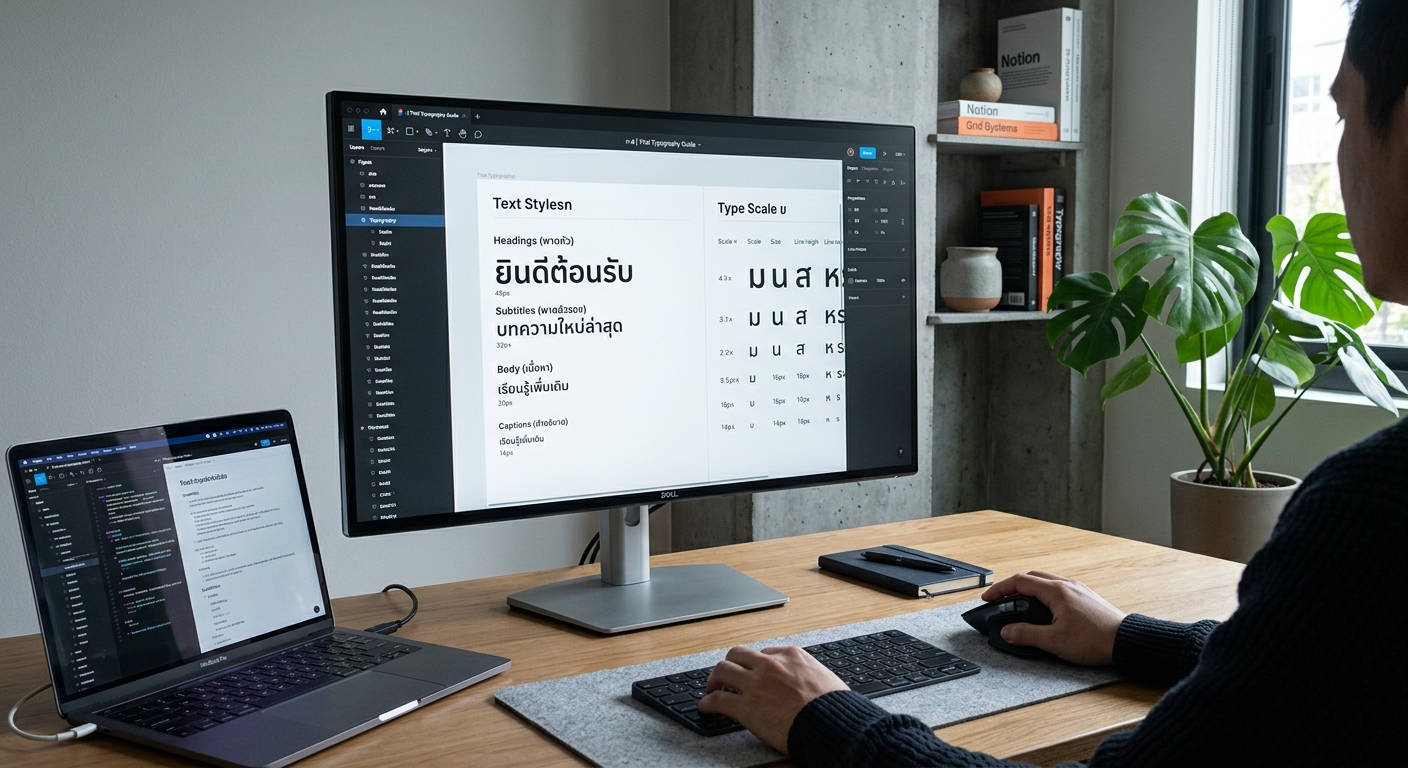
What you’ll make
A Figma file configured for production Thai UI work: self-hosted Thai fonts loaded, five text styles defined (Display, Heading, Body, Caption, Label) with correct 1.55+ line-heights, bilingual font fallback for Thai-Latin mixed strings, and Figma Variables tokens for per-language overrides. The setup takes 20 minutes and is the foundation for every Thai product design project — bypass it and your team will spend months correcting collapsed line-heights and broken tone marks downstream.
What you need
- Software: Figma Desktop 2026. Browser Figma works but font management is limited.
- Fonts (install locally first via Font Book / Windows Fonts Settings): Sarabun, Kanit, IBM Plex Sans Thai, Noto Sans Thai. All SIL-licensed.
- Figma Organization or Pro plan for shared libraries (optional but recommended for teams).
- Time: 20 minutes.
- Cultural context: Thai UI in 2026 defaults to loopless or semi-loopless fonts. Looped Thai (Angsana, Cordia) signals government-era or legacy-software design to a Thai user — acceptable for bureaucratic products, wrong for consumer products.
Step 1: Install Thai fonts locally and verify in Figma
Install all four fonts at the OS level first. macOS: Font Book > File > Add Fonts. Windows: right-click font file > Install. Relaunch Figma Desktop — browser Figma picks up OS fonts too but desktop is more reliable. Open a new file and create a text frame (T). Type a Thai test string: สวัสดีครับ ThaiGraph 2026. Open the font picker in the right panel. Type Sarabun — if the font appears and renders the Thai correctly with proper tone-mark positioning, setup is good. If Thai renders as boxes (tofu), restart Figma and check that the font is installed at the OS level, not just available in Figma’s cloud font list.
Step 2: Create the five-style typography system
In Figma, open Assets panel > Text Styles (or just ⌘/Ctrl+K to search). Define five text styles with these specs — the Thai values, not the Latin defaults:
- Display / Thai — Kanit Bold, 48 px, line-height 72 px (1.5), letter-spacing 0
- Heading / Thai — Kanit SemiBold, 28 px, line-height 44 px (1.57), letter-spacing 0
- Body / Thai — Sarabun Regular, 16 px, line-height 26 px (1.625), letter-spacing 0
- Caption / Thai — Sarabun Regular, 13 px, line-height 22 px (1.69), letter-spacing 0
- Label / Thai — Sarabun SemiBold, 12 px, line-height 20 px (1.67), letter-spacing 0.5
For each, click the + next to Text Styles in the right panel, name as above, save. The 1.55+ line-height rule applies because Thai tone marks need vertical headroom — see Google Fonts Thai Typography Primer for the full explanation.
Step 3: Duplicate for Latin with smaller line-heights
Thai line-heights are optically too tall for pure-Latin content. Create parallel Latin styles with tighter leading. Right-click each Thai style > Duplicate Style. Rename to Display / Latin, Heading / Latin, etc. Change each:
- Display / Latin — Kanit Bold 48/56 (1.17)
- Heading / Latin — Kanit SemiBold 28/36 (1.29)
- Body / Latin — Inter Regular 16/24 (1.5)
- Caption / Latin — Inter Regular 13/18 (1.38)
- Label / Latin — Inter SemiBold 12/16 (1.33)
If your product is Thai-only, skip this step. If bilingual, both style sets are mandatory. Pair Sarabun with Inter for the Latin body — the x-heights match closely (Sarabun 500, Inter 510 at 1000 em).
Step 4: Build language Variables (modes)
Figma Variables with modes is the 2024+ pattern for per-language typography tokens. Open Local Variables (right panel) > + Create Variable. Create a Collection named Typography. Add two modes: Thai and Latin. Create Variables: font-family-body, font-family-heading, line-height-body, line-height-heading. For each variable, assign different values per mode — Thai mode uses Sarabun and 1.625; Latin mode uses Inter and 1.5. Bind these variables to your text styles via the Apply Variable button on each style setting. Now a single style adapts to language context automatically when a frame is switched to Thai or Latin mode.
Step 5: Set up bilingual character fallback
Thai-Latin mixed strings (brand names inside Thai copy) need a font-family fallback chain. Figma does not natively support CSS-style fallback chains, but it respects Unicode ranges when the designer inserts characters in mixed scripts. Best practice: use a font family that covers both scripts natively. Sarabun, Kanit, Noto Sans Thai, and IBM Plex Thai all ship with Latin character sets. For consistent bilingual rendering, use Sarabun for body (Thai + Latin) rather than pairing Sarabun/Inter — the latter only matters when the product brief requires a specifically European-feeling Latin.
Step 6: Create a Thai-aware component library
Create a new file named ThaiGraph Design System / Typography. Publish the five Thai text styles and the five Latin text styles as a shared library (Assets > Publish Library). Every product file in the organisation subscribes to this library via Assets > Libraries. Add a cover page with a specimen showing all ten styles side by side, both Thai and Latin text samples in each, and a note on the 1.55+ rule. The specimen is documentation; it prevents the common mistake of designers applying a Latin Heading style to Thai text and collapsing the line height.
Step 7: Test with real Thai content
Open a product screen. Paste in actual Thai content — product descriptions, button labels, error messages in full sentences. Watch for four specific failure modes: (1) tone marks that collide with the line above, (2) descender-heavy words like ปู or ญาติ that collide with the line below, (3) bilingual mix-ups where an embedded English word breaks the Thai baseline, (4) button labels where the Thai text is 30-50% longer than the English equivalent and overflows the button. Adjust Variables or components as needed. Ship with confidence that the Thai side of the product matches the Latin side in craft.
Cultural considerations
Thai UI font choice is a silent audience signal. Loopless sans (Sarabun, Kanit, IBM Plex Thai) reads as modern and startup-oriented to Thai users; looped serif (Angsana, Cordia) reads as government, legacy enterprise, or intentional retro. The Digital Government Development Agency’s UX/UI standards (DGA, 2023) specify Sarabun as the default for consumer-facing government services — its clean looped sans is the compromise between traditional readability and modern cleanliness. For non-government consumer products in 2026, loopless is the dominant choice; IBM Plex Thai is the current darling for fintech and SaaS, Kanit for consumer apps, Sarabun for mixed contexts. The one context where Angsana and Cordia remain correct is contractual, legal, and academic typesetting where reader expectation is conservative.
Common mistakes
- Line-height at 1.2 or 1.4. Latin defaults collide tone marks with descenders. Always 1.55+ for Thai body.
- Using Figma’s cloud Thai fonts without installing locally. Produces inconsistent rendering between designer’s screen and developer’s implementation.
- Applying letter-spacing to Thai text. Positive tracking breaks vowel-consonant binding.
- Single text style for Thai and Latin without variables. Locks you into a line-height compromise that is wrong for one script.
- Not testing with real content. Lorem ipsum does not contain tone marks. Always test with
ยฎฯ์ญึืkind of vertical-heavy Thai strings.
Source files and next steps
Download the ThaiGraph Figma Thai Typography starter library from the font directory — the file is shared at library link on each font page. Key fonts: Sarabun, Kanit, IBM Plex Sans Thai, Noto Sans Thai. For broader bilingual typography rules see Thai + Latin: Bilingual Typography Guide and the pillar Complete Guide to Thai Typography. Next Figma tutorial: Building a Thai Design System in Figma.
Information verified as of April 2026
Sources
- Figma added native Thai text shaping support for tone marks and combining diacritics in the 2022 desktop release, ending a decade of workarounds for Thai UI designers.—Figma Changelog — Complex Script Support (April 2022) (accessed Apr 8, 2026)
- Thai text requires a minimum line-height of 1.55 in UI work to prevent tone mark collisions with descenders on the line above.—Google Fonts — Thai Typography Primer (2024) (accessed Apr 5, 2026)
- Figma's Variables feature supports per-language typography tokens, allowing bilingual products to maintain separate Thai and Latin font-size and line-height tokens without duplicating styles.—Figma — Variables and Modes Documentation (2024) (accessed Apr 8, 2026)
- Sarabun is the most used Thai UI font in production Thai government applications, per Digital Government Development Agency technical standards.—Digital Government Development Agency (DGA), Thailand — UX/UI Design Standards for Government Services, 2023 (accessed Apr 9, 2026)