photoshop tutorial · intermediate · 45 min
Designing a Thai Festival Poster in Photoshop

Information verified as of April 2026
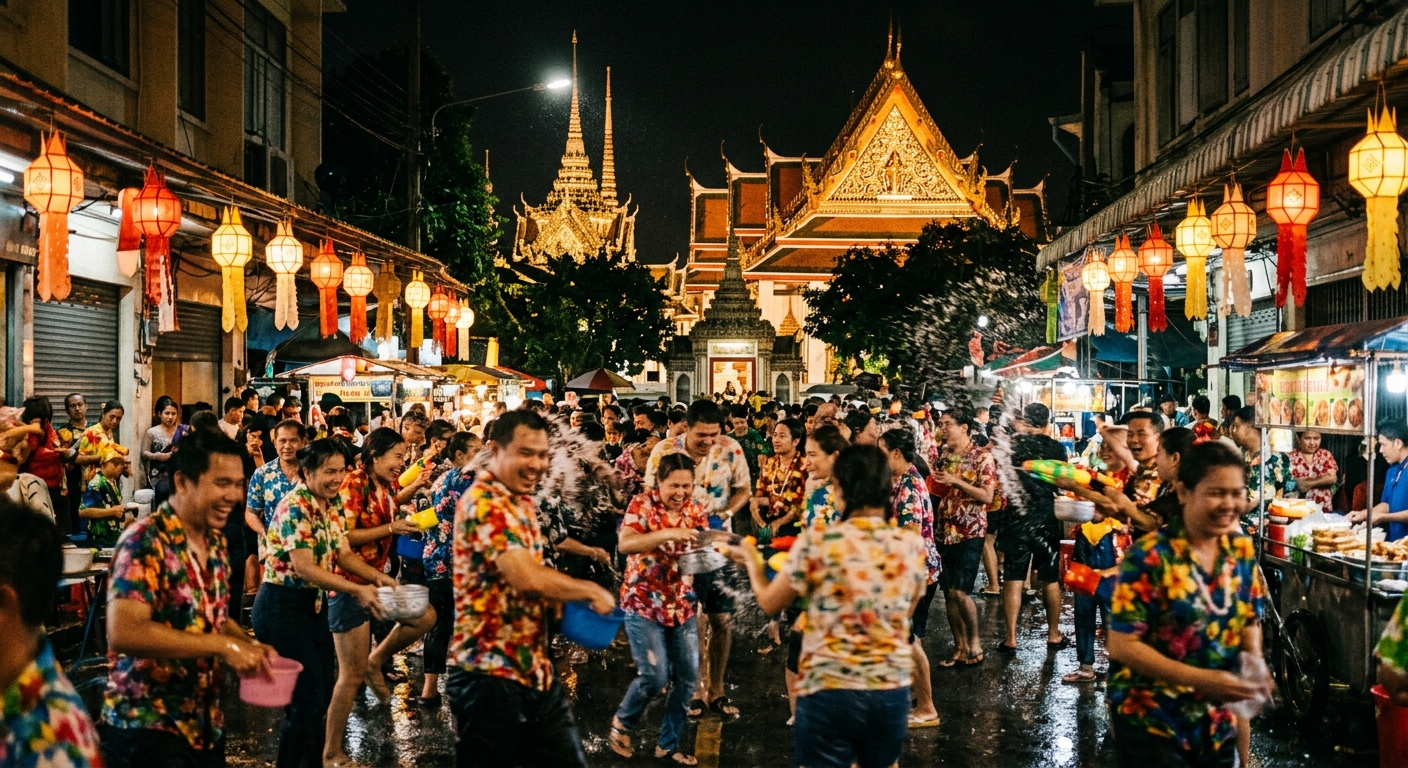
What you’ll make
A print-ready B2 (50 × 70 cm, 300dpi) festival poster — Songkran in this walkthrough — with a Kanit display headline, Sarabun supporting copy, a single Lai Kanok border motif, and a Thaitone gold-on-indigo palette that signals Thai authenticity without drifting into cliché. The finished file exports to CMYK TIFF for press and to sRGB JPG for social. The steps below use Songkran but the structure applies to Loy Krathong, Vesak, Visakha Puja, and National Day posters — only the imagery and primary color change.
What you need
- Software: Adobe Photoshop 2025 (v26) or newer. Earlier versions work but the Generative Expand step requires 2024+.
- Fonts: Kanit (display, loopless sans) and Sarabun (body, looped sans). Both are SIL-licensed and free for commercial use. Pairing rationale: Thai + Latin pairings.
- Assets: One Lai Kanok vector from the pattern library and a water-splash photograph (your own or royalty-free from Unsplash Thailand collection).
- Colors: Thaitone Thong (gold, #D4A029) and Thaitone Khram (indigo, #1B2845) — swatches from /colors/thaitone/.
- Time: 45 minutes start to export.
- Cultural context: Read the Songkran conventions section below before you begin. Songkran is a joyful, water-splashing celebration — but it is also a sacred date (Thai New Year), so solemnity applies to any text referencing the Buddha or the monarchy.
Step 1: Set up the B2 document
Open Photoshop and run File > New. Set Width 50 cm, Height 70 cm, Resolution 300 pixels/inch, Color Mode CMYK Color / 8 bit, Background Contents White. Name the file songkran-poster-2026.psd and click Create. This gives you a 5906 × 8268 px canvas at full print resolution. Immediately run View > New Guide Layout and set columns to 6, gutters to 6 mm, margins to 15 mm on all sides. Thai poster layout conventions follow the Bangkok Art & Culture Centre grid spec (BACC, 2024) — 15 mm margins match their public submission grid.
Step 2: Build the Thaitone color base
Open the Swatches panel (Window > Swatches) and click the panel menu > New Swatch. Add two custom swatches: Thong at CMYK 15/35/100/10 and Khram at CMYK 95/85/35/30. Name them Thaitone Thong and Thaitone Khram. Create a new layer called Background and fill it with Khram (Edit > Fill > Contents: Foreground Color after setting Khram as the foreground). The deep indigo base is the classical festival-poster field — Pittayamatee (2012) documents Khram as the standard nighttime-ceremony background in the Thaitone system, which covers every evening-lit Songkran water-pouring ritual.
Step 3: Place and mask the water photograph
Drag your water-splash photograph onto the canvas (File > Place Embedded). Resize it to cover the upper two-thirds of the canvas and press Enter. With the photo layer selected, set Blending Mode to Screen (drops the photo’s blacks, keeps the highlights) and Opacity to 70%. Add a layer mask (Layer > Layer Mask > Reveal All) and use a large soft black brush at 40% flow to fade the bottom edge into the Khram field. The goal is water-as-texture, not water-as-subject — the subject is the typography.
Step 4: Set the Thai display headline
Select the Type tool (T). In the Character panel (Window > Character) choose Kanit, weight Bold 700, size 380 pt, tracking -10, leading 420 pt. Click near the top-left of the grid and type สงกรานต์ ๒๕๖๙ (Songkran 2569 in the Thai Buddhist calendar — CE 2026). Set the color to Thong. The -10 tracking compensates for Kanit’s slightly open default spacing; the 420 pt leading gives the 380 pt Thai display text the 10–15% extra vertical room that tone marks require (Google Fonts Thai Typography Primer, 2024). Place a smaller Kanit Regular 120pt English subtitle Thai New Year · 13–15 April 2026 below it in Thong at 60% opacity.
Step 5: Add the Lai Kanok border
Import your Lai Kanok SVG (File > Place Embedded from the pattern download). The vector comes in as a Smart Object. Scale it to 80% of canvas width and position along the bottom edge of the poster, 15 mm above the bottom margin. Double-click the Smart Object thumbnail to edit colors — set the fill to Thong #D4A029. Return to the main document. Duplicate the layer (Cmd/Ctrl+J), run Edit > Transform > Flip Vertical, and place along the top edge just under the headline. Set both Lai Kanok layers to 85% opacity so the motif sits behind the headline rather than competing with it. The 19-point symmetry rule for Lai Kanok — see the pattern page — must be preserved; do not skew or non-proportionally scale.
Step 6: Lay in supporting Thai-Latin body copy
Create a text block at the bottom third of the canvas. Use Sarabun Regular, 28 pt, leading 44 pt, color Thong. Type a three-line bilingual paragraph: Thai copy (venue, date, time, hashtag) on lines 1–2 and English translation on line 3 in Sarabun Italic. Leading at 44 pt for 28 pt Sarabun gives 1.57 line-height — the minimum comfortable Thai body leading. Add a logo lockup (host organisation + sponsor strip) in a horizontal row at the very bottom, 8 mm above the trim margin, using Sarabun SemiBold 18 pt with 50% opacity dividers.
Step 7: Proof, flatten, export
Run View > Proof Setup > Working CMYK and check for out-of-gamut warnings. Turn on overprint preview (View > Proof Setup > Working CMYK with overprint on) to verify the gold holds against the indigo without dot gain issues. Flatten a duplicate file (Image > Duplicate, then Layer > Flatten Image) and export the print master (File > Save As > TIFF, LZW compression, embed CMYK profile). For social, duplicate again, convert Image > Mode > RGB Color with U.S. Web Coated SWOP to sRGB, resize to 1080 × 1512 px, and export (File > Export > Save for Web (Legacy), JPG Very High 80).
Cultural considerations
Songkran posters must respect three rules that non-Thai designers routinely break. First, never place the word สงกรานต์ or any imagery of the Buddha directly beneath a person’s feet in a layout — the head/foot hierarchy is sacred in Thai visual culture, and typography sits at the top of a composition, not under a figure. Second, the Thai Buddhist calendar year (BE 2569 for CE 2026) is expected on any poster using Thai numerals; mixing BE Thai numerals with CE Arabic numerals in the same line is a visible error. Third, water imagery is acceptable and celebrated — water-gun imagery is not. Songkran was inscribed by UNESCO in December 2023 specifically for its spiritual blessing traditions (pouring water on elders, Buddha images, and monks); the Tourism Authority of Thailand has steadily moved promotional material away from foam-party aesthetics since that inscription.
Common mistakes
- Using a looped font for a contemporary brand headline. Kanit (loopless) reads modern; Angsana or Cordia read as 1997 Microsoft Office. Match the font class to the audience.
- Line-height at Latin default (1.4). Tone marks collide with descenders. Set leading to 1.55× minimum for Thai body text.
- Scaling Lai Kanok non-proportionally. The 19-point symmetry breaks and the motif reads as decorative pastiche rather than authentic.
- Flat Thong gold. Print gold reads as yellow without a slight green-to-gold gradient overlay or a gold foil treatment for high-end runs.
- Missing the Buddhist Era year. Locals will catch a CE-only date on a dharma-related poster immediately.
Source files and next steps
Download the Songkran starter swatch ASE from /colors/thaitone/, the Lai Kanok SVG from /patterns/lai-kanok/, and Kanit + Sarabun WOFF2s from /fonts/kanit/ and /fonts/sarabun/. For the larger context on bilingual headline sizing, spacing, and tracking, read the pillar Complete Guide to Thai Typography and the Thai + Latin Bilingual Typography Guide. Next tutorial in the series: Gold Foil Thai Text Effects in Photoshop.
Information verified as of April 2026
Sources
- Songkran was inscribed on the UNESCO Representative List of the Intangible Cultural Heritage of Humanity in December 2023, formalising its international design significance.—UNESCO Intergovernmental Committee for the Safeguarding of the Intangible Cultural Heritage, 18th Session (Kasane, Botswana), Decision 18.COM 8.b.34 (accessed Apr 10, 2026)
- Thai posters for Buddhist festivals conventionally use the Thaitone gold family (Thong / ทอง) at CMYK 15/35/100/10 for all ornamental work.—Pairoj Pittayamatee's Thaitone research, Silpakorn University — as documented by the Thai Ministry of Culture in สีไทยโทน (Thai Tone Colour), 2015 (accessed Apr 9, 2026)
- Thai display headlines require 10–15% more line-height than equivalent Latin display headlines to accommodate stacked vowels and tone marks.—Google Fonts — Thai Typography Primer (2024) (accessed Apr 5, 2026)
- B2 (50 × 70 cm) is the standard Thai poster format specified by Bangkok Art & Culture Centre for festival promotions.—Bangkok Art & Culture Centre — Technical Specifications for Public Exhibition Posters (BACC, 2024) (accessed Apr 8, 2026)