Thai font · FREE
TH Sarabun New
สารบรรณ

Information verified as of September 2026
อ่านหน้า ฟอนต์ TH Sarabun New เป็นภาษาไทย — พร้อมลิงก์ดาวน์โหลดและวิธีติดตั้ง →
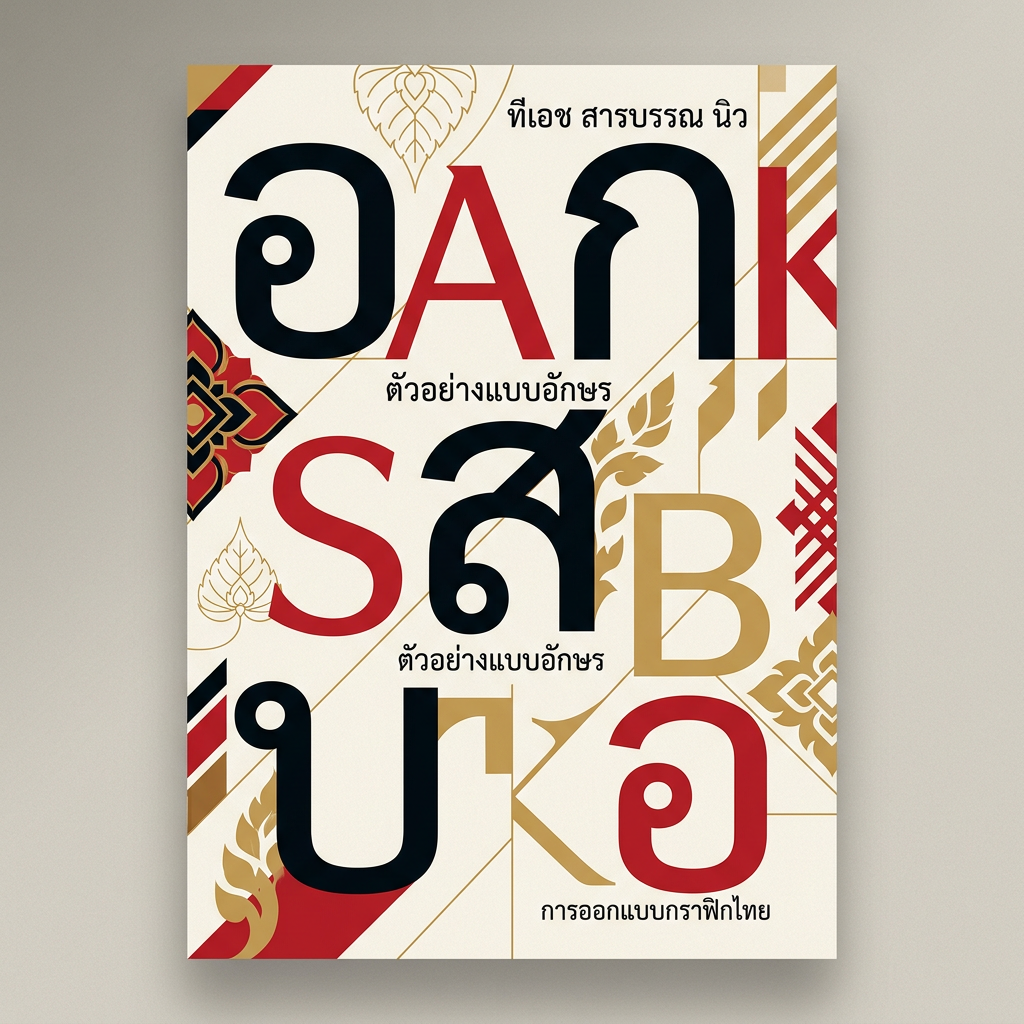
Download TH Sarabun New — free →
How to install & use
- Windows — Download the .zip, unzip it, then right-click the .ttf/.otf file → “Install”.
- macOS — Double-click the .ttf/.otf file, then click “Install Font” in Font Book.
- Web — Self-host the font files and declare them with @font-face in your CSS.
- Microsoft Word — For documents in Microsoft Word: install the font, then pick it from the font menu before typing.
Preview TH Sarabun New
TH Sarabun New is a foundry/desktop font, so it can’t be embedded as a free webfont for a live preview here. See the specimen above for the real letterforms, or load your own text into the Thai Font Tester to compare it against the free Google Fonts alternatives.
What TH Sarabun New is
TH Sarabun New is the 2011 revision of TH Sarabun PSK, the looped Thai sans that Thailand’s Council of Ministers named a National Font on 7 September 2010, and it is a free download from f0nt.com under GPL 2.0 with a font exception. Suppakit Chalermlarp (ศุภกิจ เฉลิมลาภ) drew the original; SIPA and the Department of Intellectual Property published the revision through f0nt.com on 19 August 2011. That one release page has logged 10,444,940 downloads, read on 22 August 2026.
The name is the job description. สารบรรณ (sarabun) means documentary affairs — the Thai civil-service term for correspondence and filing. This is a face built to set memos, forms and gazette pages, and nothing else.
The National Font project (ฟอนต์แห่งชาติ) released 13 typefaces carrying a TH prefix and ordered state agencies to stop using private-sector fonts by 5 December 2010, King Bhumibol Adulyadej’s 83rd birthday. Sarabun was the one singled out for official correspondence, displacing Angsana New, the Windows-bundled serif that had been the de facto standard. You can see the whole set on our National Fonts category page.
One correction worth making, because it circulates widely and this page previously carried it: the Government Gazette of Thailand (ราชกิจจานุเบกษา) has used TH Sarabun PSK since January 2011, not TH Sarabun New. Wikipedia’s National Fonts article names PSK explicitly as the Gazette face.
Version 1.35, dated 15 November 2019, is still the current release as of 22 August 2026. There has been no newer version in nearly seven years. We re-checked on 8 September 2026: the download counter had moved to 10,491,320 and the files inside the zip are still Version 1.35.
This is ThaiGraph’s hub page for the whole Sarabun family: TH Sarabun New, the 2007 original TH Sarabun PSK, the third-party IT๙ variant, the Google Fonts Sarabun, the 2010 cabinet resolution that made Sarabun “the government font”, and the Windows-update rendering bug people search for most. The Thai version is at TH Sarabun New (ภาษาไทย).
TH Sarabun New or TH Sarabun PSK — which one do I install?
Install both. Use TH Sarabun PSK whenever a template, form or regulation names it by name, which covers most Thai official work, and use TH Sarabun New when you need the freer licence or when Thai tone marks misbehave in Office on a Mac. The two files are the same typeface: beartai quoted Suppakit Chalermlarp saying that physically the appearance, the letterspacing and the line spacing are all identical, so a document set in one and reopened in the other does not reflow.
The full side-by-side comparison — what the 2011 revision actually changed, the SIPA statement that argues for standardising on PSK, and what to do with legacy files that already embed it — is on the sibling page for TH Sarabun PSK. The table read from the actual files is in the next section.
What is the difference between TH Sarabun PSK and TH Sarabun New?
The outlines, sidebearings and line spacing are identical. Three things genuinely differ: the family name embedded in the files (TH SarabunPSK versus TH Sarabun New), the 2011 fix for rendering on low-resolution screens, and the licence. We downloaded both official zips from f0nt.com on 8 September 2026 and read the font metadata directly with fontTools, so this table comes from the files rather than from hearsay.
| TH Sarabun PSK | TH Sarabun New | |
|---|---|---|
| Published on f0nt.com | 28 June 2007 (in the 13-font set) | 19 August 2011 |
| Family name inside the files | TH SarabunPSK | TH Sarabun New |
| Version inside the files | Version 1.1 2006 | Version 1.35 2011 (1.35 dated 15 November 2019) |
| Embedded copyright | Copyright (c) 2006 Department of Intellectual Property, Ministry of Commerce, and SIPA | Copyright (c) 2010-2011 SIPA |
| Licence | DIP&SIPA Font License Agreement (a .txt inside the zip): free use, copying and distribution; no selling the file on its own; adapted versions must notify DIP and SIPA and drop the name | GPL 2.0 or later with a font-embedding exception (embedded in the fonts’ own name table) |
| What the 2011 revision changed | — | f0nt.com: “various defects in the original TH Sarabun PSK” fixed, unitemised / beartai quoting the designer: sharper display at small sizes / NSTDA quoting SIPA: fixes thin, faint strokes on Windows XP |
| Filenames in the official zip | THSarabun.ttf, THSarabun Bold.ttf, THSarabun Italic.ttf, THSarabun Bold Italic.ttf | THSarabunNew.ttf, THSarabunNew Bold.ttf, THSarabunNew Italic.ttf, THSarabunNew BoldItalic.ttf |
| Named in Thai regulations and templates | Yes (TH Sarabun PSK, 16 pt) | No |
| Ships with Microsoft 365 as a cloud font | Yes, all four styles | No |
| Embedding permission (OS/2 fsType) | 0 = installable, embed freely | 0 = installable, embed freely |
When to use which. Use TH Sarabun PSK whenever the receiving side names it — official correspondence under the sarabun regulations, ministry templates and nearly every thesis template — and whenever the other machine runs Microsoft 365, which already has PSK without an install. Use TH Sarabun New when strokes render thin and faint on old low-resolution Windows screens, when tone marks float in Office on a Mac (1.35 was released for exactly that), or when you are redistributing the font files under the GPL. In every other case install both: the metrics are identical, so holding both names costs nothing and eliminates font substitution entirely.
The common misreading is “New is newer, so it is better”. f0nt.com never itemised the defects it fixed, and the SIPA statement relayed by NSTDA asks agencies to return to TH Sarabun PSK alone, because mixing the two forces re-layout every time a document changes hands. The third family, Sarabun on Google Fonts, is yet another set of files; the three-way comparison is below.
The 13 National Fonts and the cabinet resolution of 7 September 2010
On 7 September 2010 Thailand’s cabinet approved that every state agency install the sarabun font and the other twelve, thirteen fonts in all, from SIPA and the Department of Intellectual Property, complete the rollout before 5 December 2010, and report completion to the ICT Ministry. That resolution is why Thais call this “the government font” (ฟอนต์ราชการ) and why TH Sarabun PSK has its special status. The proposal came from the Ministry of Information and Communication Technology as the “Thai Government Standard Font Project”. The stated rationale, as MODIFY reported it: ปัจจุบัน ส่วนราชการมีการใช้ฟอนต์อย่างหลากหลาย ไม่มีมาตรฐาน…การใช้มาตรฐานฟอนต์ของบริษัทเอกชนที่ผูกขาดลิขสิทธิ์อาจมีปัญหาเรื่องการฟ้องร้องละเมิดลิขสิทธิ์ได้ — agencies were using fonts inconsistently, and relying on proprietary fonts risked copyright litigation. The fonts pushed out were Angsana New, Browallia New, Cordia New and EucrosiaUPC.
A word on sourcing. The resolution wording above comes from Thai Library’s reproduction (13 September 2010), which links a 19-page scan; we downloaded it, but it is image-only with no text layer, so we could not extract the original. Nor did an open search find the item in the Cabinet Secretariat’s resolution database. Treat the wording as reproduced. The date, 7 September 2010, and the deadline, 5 December 2010, agree across every source we checked: Thai and English Wikipedia, Thai Library and MODIFY.
The thirteen, with designers as credited on f0nt.com’s release page (each in four styles — regular, italic, bold, bold italic):
| Font | Designer (per f0nt.com) |
|---|---|
| TH Sarabun PSK | Suppakit Chalermlarp (ศุภกิจ เฉลิมลาภ) |
| TH Charmonman | Ekkalak Phianphanawet (เอกลักษณ์ เพียรพนาเวช) |
| TH Krub | Ekkalak Phianphanawet |
| TH Srisakdi | Aksaramethi team (ไพโรจน์ เปี่ยมประจักพงษ์, บวร จรดล) |
| TH Niramit AS | Aksaramethi team |
| TH Charm of AU | กัลยาณมิตร นรรัตน์พุทธิ |
| TH Kodchasal | กัลย์สุดา เปี่ยมประจักพงษ์ |
| TH K2D July8 | กานต์ รอดสวัสดิ์ |
| TH Mali Grade 6 | สุดารัตน์ เลิศสีทอง |
| TH Chakra Petch | ธีรวัฒน์ พจน์วิบูลศิริ |
| TH Baijam | PITA team (รพี สุวีรานนท์, วิโรจน์ จิรพัฒนกุล) |
| TH KoHo | Ko-Ho group (ขาม จาตุรงคกุล, กนกวรรณ แพนไธสง, ขนิษฐา สิทธิแย้ม) |
| TH Fah Kwang | Team Eleven (กิตติ ศิริรัตนบุญชัย, นิวัฒน์ ภัทโรวาสน์) |
Of the thirteen, only Sarabun was prescribed for official correspondence: Office of the Prime Minister circular นร 0106/ว 2019, as Thai Library reproduces it, specifies TH Sarabun PSK at 16 points. The other twelve are fonts agencies may use for other work without licensing worries. The whole set is on the National Fonts category page; f0nt.com distributes them as thirteen separate zips.
What is TH Sarabun IT๙, and should you use it?
TH Sarabun IT๙ is a third-party modification of TH Sarabun PSK that makes the Arabic digit keys 0–9 display as Thai numerals ๐–๙. It is not part of the National Font set, appears in no official proclamation, and SIPA has asked agencies to stop using it. SIPA’s statement, as relayed by NSTDA, is blunt: เลิกใช้ฟอนต์ TH Sarabun IT๙ เนื่องจากใช้วิธีแก้ไขตัวเลขไทยไม่ถูกต้องตามหลักการของ Unicode ทำให้เกิดปัญหาในการแลกเปลี่ยนเอกสาร — stop using it, because its Thai-numeral hack does not follow Unicode and breaks document exchange.
The mechanism is the problem. The font simply remaps the glyphs for Arabic digits to draw as Thai numerals. Data Revol puts it as “press 1, get ๑; press 2, get ๒”, but the character stored in the file is still 1 (U+0031), not ๑ (U+0E51). Searching, sorting and calculating on those values goes wrong, and the moment the font is changed or the file is opened on a machine without IT๙, every “Thai” numeral silently reverts to an Arabic one.
The misunderstanding traces back to a cabinet resolution of 2 May 2000 about using Buddhist Era years, which Thai Library notes was stretched into “all digits must be Thai”. Circular นร 0106/ว 2019 actually treats Thai numerals as promotional, not mandatory, and allows Arabic digits for financial, tabular or foreign-language work. The IT๙ bundles passed around teacher and school websites since late 2014 contain eight files — TH SarabunIT9 in four styles and TH NiramitIT๙ in four — with no maker named. The name is also a licence problem: the PSK licence reserves the Sarabun names and forbids adapted versions from carrying them.
If you need Thai numerals, type real ones — the Unicode characters U+0E50 to U+0E59 — from the Thai keyboard layout or your application’s numeral setting, and keep using TH Sarabun PSK or TH Sarabun New. Both already contain the Thai numeral glyphs, and the file will open correctly everywhere. If TH SarabunIT๙ is installed alongside PSK on your machine, RMUTSB’s IT office recommends removing it when you fix the Windows-update rendering bug described below.
TH Sarabun New vs TH Sarabun PSK vs Sarabun on Google Fonts
Three families share the Sarabun name, they are in the same design lineage, and none of them substitutes for the others in a font menu. A template that asks for “TH Sarabun PSK” is not satisfied by “Sarabun”, because a font-selection dialog matches the family name string, not the family tree.
- TH SarabunPSK — the 2007 original from the SIPA National Font set. Four cuts. The string written into Thai regulation and into most government and academic templates.
- TH Sarabun New — the 2011 revision. Four cuts. Same outlines as PSK, GPL 2.0 with font exception, and the version whose 1.35 release fixed Office for Mac.
- Sarabun — a later redraw published on Google Fonts, based on TH Sarabun New. The Google Fonts metadata records it as OFL, 16 variants across eight weights from 100 to 800, added on 28 October 2013, and maintained upstream by Cadson Demak — the Bangkok foundry where Suppakit Chalermlarp later worked. Latin, Latin Extended, Thai and Vietnamese subsets.
The practical division: Word and PDF work that has to match a Thai template takes TH SarabunPSK or TH Sarabun New. Web work takes Sarabun, which is packaged and hinted as a webfont and has the weight range to build a hierarchy. Loading a desktop TTF of TH Sarabun New over @font-face is legal under its licence, but you are shipping a document face with two weights when an eight-weight OFL family exists for the same job.
Is TH Sarabun New free to download?
Yes, and free for commercial work too. The f0nt.com release page states that SIPA and the Department of Intellectual Property jointly revised the licence of this TH Sarabun font to GPL 2.0 with a font exception. The font exception is the part that matters day to day: it means a document that embeds the font is not itself pulled under the GPL. Embedding in PDFs and Word files, commercial use, and redistribution are all permitted.
Font Library lists the same family under the GNU General Public License in four TrueType styles, which is a second, independent statement of the licence for anyone who cannot read the Thai page.
One caution about scope. The GPL wording is published on the TH Sarabun New release page. The older TH SarabunPSK files were distributed royalty-free by SIPA and the Department of Intellectual Property through f0nt.com, but do not assume the GPL statement reaches back to cover them — if you are redistributing files rather than just using them, redistribute New. For how Thai font licences differ from Latin ones in general, see our Thai font licensing guide.
How to download TH Sarabun New
The official source is the f0nt.com release page, which serves THSarabunNew.zip containing all four files at version 1.35. Two routes that are actually legitimate:
- f0nt.com — the TH Sarabun New release page is the channel SIPA used to distribute the National Fonts. This is the page behind the search “โหลดฟอนต์ th sarabun”.
- Font Library — the THSarabun New entry mirrors the four cuts under the GNU GPL for anyone who prefers an English-language source.
There is no Homebrew cask for this font. You will find brew install --cask font-th-sarabun-new quoted on other sites; it fails, because no such cask exists. Homebrew’s own API returns HTTP 404 for font-th-sarabun-new, checked 22 August 2026, and the pull request that proposed adding it was closed without being merged. On macOS, install the files by hand as described below.
Skip the ad-heavy font aggregators. They serve stale versions — and given that v1.35 is the release that fixes Office for Mac, an old copy is not a cosmetic problem. Check the version before you trust a mirror.
Download TH Sarabun New and TH Sarabun PSK from ThaiGraph (verified mirror)
ThaiGraph hosts both official f0nt.com zips on our own server. The files are byte-identical to the originals — nothing renamed, re-zipped or modified — and we publish the SHA-256 of every file so you can verify them. Two reasons for the mirror. f0nt.com refuses downloads that do not originate from its own pages (we received HTTP 403 fetching the file without a referer), so links forwarded by email or chat routinely fail. And the bundles other sites hand out often mix in stale versions or the IT๙ files.
| File | Size | SHA-256 |
|---|---|---|
| THSarabunNew.zip (TH Sarabun New 1.35, all four files) | 434,047 bytes | 7a3db732e475b0b8adb10adf4058e7d8161ecef157f56f9711c229c73bedc592 |
| 07-TH-Sarabun-PSK.zip (TH Sarabun PSK 1.1, all four files plus the licence file) | 192,670 bytes | fd7b1596364ab8ae11f50e8abb71eb1189b0aa6275e71c8e25b0187578a26cae |
| README.txt (source URLs, server dates, versions, SHA-256 of all eight .ttf files) | 3,476 bytes | — |
| LICENSE-TH-Sarabun-New-GPL-2.0-with-font-exception.txt | 19,321 bytes | — |
| LICENSE-TH-SarabunPSK.txt (UTF-8 transcription of the UTF-16 original, which sits in the same folder) | 8,382 bytes | — |
All eight .ttf files sit in the same folder under their original names (THSarabunNew.ttf, THSarabunNew Bold.ttf, THSarabunNew Italic.ttf, THSarabunNew BoldItalic.ttf, THSarabun.ttf, THSarabun Bold.ttf, THSarabun Italic.ttf, THSarabun Bold Italic.ttf) for anyone who wants a single file, but the simplest route is the zip. Verify a download on Windows with certutil -hashfile THSarabunNew.zip SHA256 and on macOS with shasum -a 256 THSarabunNew.zip; the output must match the table character for character. If it does not, do not install.
The licence basis for the mirror: TH Sarabun New is GPL 2.0-or-later with a font-embedding exception, which permits redistribution outright, and we ship the full GPL text with the exception exactly as embedded in the fonts. TH Sarabun PSK ships with a “DIP&SIPA Font License Agreement” whose clause (1) reads “Allow to use without any charges and allow to reproduce, study, adapt and distribute this Font Computer Program”, forbidding only the sale of the font file on its own. We do not sell, modify or rename, so we are inside both. f0nt.com’s own release page tells readers to go by the licence attached to the font. f0nt.com remains the official source, and both release pages are linked in the previous section.
How to install TH Sarabun New on Windows
Unzip the download, select all four .ttf files, right-click, and choose Install for all users. Microsoft’s own instructions for adding a font run: download the files, which often come compressed in .zip folders; unzip by right-clicking the .zip folder and selecting Extract; then right-click the fonts you want and select Install, clicking Yes if Windows asks permission to make changes. Dragging the files into C:\Windows\Fonts does the same thing.
Windows 11 adds a wrinkle Microsoft’s article does not cover. The right-click menu is condensed, so “Install for all users” only appears after you click “Show more options” at the bottom of the menu, or press Shift+F10. That distinction matters on a shared office PC: “Install for all users” writes to C:\Windows\Fonts and every program and every account sees the font, while a plain “Install” — and the drag-and-drop area under Settings > Personalization > Fonts — installs for the current user only, and some programs will not see it.
Two things people get wrong here. Install all four files, not just the roman, or Word will synthesise a fake bold and a fake italic and your document will not match anyone else’s. And if the font does not appear in the font list, close and reopen the Office app; Office reads the font list at launch.
How to install TH Sarabun New on macOS
Double-click each .ttf in the Finder and click Install, or drag all four onto the Font Book window. Apple documents four routes, all current for macOS Tahoe 26 back to High Sierra: File > Add Fonts to Current User in Font Book then double-click the file; drag the file onto the Font Book icon in the Dock and click Install; drag the file into the Font Book window; or double-click the file in the Finder and click Install. TrueType .ttf, which is what TH Sarabun New ships as, is on Apple’s supported-format list.
The step worth adding for Thai users is validation. In Font Book, select the font and choose File > Validate Selection, or File > Validate File and browse to it. Green means passed, yellow is a warning, red is a failure. This is how you catch a duplicate or damaged TH Sarabun install, which is the single most common cause of the tone-mark bug below.
There is no package-manager shortcut on macOS. Do not trust the brew install --cask font-th-sarabun-new line that circulates on other sites — that cask does not exist and the command fails.
Thai tone marks floating in Word and PowerPoint on macOS
If your Thai tone marks sit above the wrong consonant in Office on macOS Tahoe, update macOS to 26.1 or later and replace your TH Sarabun New with version 1.35 from f0nt.com. A Microsoft Q&A thread running from 17 September 2025 to 8 January 2026 records the bug appearing after the Tahoe update, macOS 26.1 clearing it in Word but not in PowerPoint, and version 1.35 removing it on Tahoe 26.2.
That is not a coincidence: the f0nt.com update note of 15 November 2019 says Suppakit Chalermlarp released 1.35 specifically to fix Thai-language problems in Microsoft Office for Mac. The full thread-by-thread record, including the fixes that were reported not to work and the Font Book steps that clear the duplicate installs behind most reports, is on the TH Sarabun PSK page.
Why TH Sarabun PSK breaks after a Windows 10/11 update, and how to fix it
The symptom: after the October 2023 Windows updates, text set in TH Sarabun PSK in Excel (and on some machines Word) shows in another font or with distorted glyphs. The fix that Thai university IT departments converged on is to remove TH SarabunPSK completely through Control Panel and reinstall all four files with “Install for all users”. This mostly hits PSK, and it is the top reason Thais search for “TH Sarabun PSK เพี้ยน” (broken).
The clearest public record of the cause is a Microsoft Q&A thread of 12 October 2023. The poster names two updates installed just before the breakage — KB5031354 (2023-10 Cumulative Update for Windows 11 22H2) and KB5031323 (that month’s .NET Framework update) — with Thai characters in Excel rendering as if swapped for Tahoma. A 19 October 2023 answer proposes uninstalling KB5031354 from Update history as a temporary workaround. We do not recommend that: it is a security update, and other respondents in the same thread report it did not work for them.
The method published by KMUTNB’s Instrumentation and Electrical Energy Engineering department and by RMUTSB’s Academic Resources office is the same, and it is what government offices across Thailand use. Three steps:
- Remove the old font completely. Open Control Panel, switch the view to Large icons or Small icons, click Fonts, type
sarabunin the search box, select TH SarabunPSK and press Delete, then Yes. If TH SarabunIT๙ is present, delete it too. If Windows warns the file is in use, close every Word, Excel, PowerPoint and browser window and retry. - Reinstall all four files. Extract the zip, select the four .ttf files, right-click, choose Show more options, then Install for all users — on Windows 11 that command is hidden in the second-level menu. This writes to
C:\Windows\Fonts, so every account and every program sees the same font. - Reopen Office. Office reads the font list at launch. Existing documents render correctly again without editing, because the font name in them never changed.
One thing to say plainly. Both university pages hand out a file called Fonts_TH_SarabunPSK_version_1.000.zip and recommend “version 1.000”, yet the official f0nt.com archive (and our mirror above) embeds Version 1.1 2006. We could not trace where the 1.000 build comes from or verify how it differs from 1.1. Our advice is the official set with published hashes. What every source agrees actually clears the fault is the complete removal and complete reinstall, not the version number.
A similar-looking case with a different cause: Blognone recorded in October 2019 that after the Windows 10 1903 update “Sarabun New started misbehaving — in Word it turned into another font”. The culprit was an incomplete font file; installing the complete file over it ended the problem. That is another reason to check the hash of what you downloaded before installing. Floating tone marks on macOS are a separate issue, covered in the previous section.
TH Sarabun in Microsoft Word, Google Docs and Canva
Word under a Microsoft 365 subscription has TH SarabunPSK in all four styles as a cloud font, no install needed. Google Docs has Sarabun — the Google Fonts version — but neither TH Sarabun PSK nor TH Sarabun New. Microsoft’s Cloud fonts in Office page lists “TH SarabunPSK”, “TH SarabunPSK Bold”, “TH SarabunPSK Bold Italic” and “TH SarabunPSK Italic”, and explains that “Cloud fonts are available to Microsoft 365 subscribers”. That is Microsoft’s own documentation confirming the 2018 Blognone report that an earlier version of this page said we could not find. Two limits: cloud fonts download on first use and need a connection, and perpetual Office (2019, 2021, 2024) does not receive them, so those machines need the files installed by hand as above. TH Sarabun New is not a cloud font anywhere; every machine installs it manually.
Google Docs, Sheets and Slides draw only from the Google Fonts library. On 7 February 2019 Google announced the Thai National Fonts in their Google Fonts editions — Bai Jamjuree, Chakra Petch, Charm, Charmonman, Fah Kwang, K2D, KoHo, Kodchasan, Krub, Mali, Niramit, Sarabun and Srisakdi — in the More fonts menu. All of them are Cadson Demak’s OFL redraws, not the original TH files. We checked the complete Google Fonts family list: there is no “TH Sarabun PSK” or “TH Sarabun New”. So a template that names TH Sarabun PSK cannot be satisfied inside Docs. The workaround is to draft in Docs with Sarabun, download as .docx, and set the font to TH Sarabun PSK in Word before submitting; the two families are not metric-compatible, so recheck pagination.
Canva: we found no Canva-published list of its Thai fonts, so we do not claim whether Sarabun is available there. Search the font panel for “Sarabun”; if the job requires the name TH Sarabun PSK, produce it in a word processor, since Canva is a graphics tool rather than an official-correspondence tool. On phones, neither iOS nor Android lets a downloaded .ttf become a system font; what you can do is in how to install a Thai font on your phone.
Every file in the TH Sarabun New family
TH Sarabun New ships four TrueType files: two weights, Regular and Bold, each with a true italic. Font Library lists exactly those four styles — Regular, Bold, Italic and Bold Italic — under the GNU GPL. A community GitHub mirror of the SIPA set, epsilonxe/SIPAFonts, carries them under these filenames:
| Style | Filename |
|---|---|
| Regular | THSarabunNew.ttf |
| Bold | THSarabunNew Bold.ttf |
| Italic | THSarabunNew Italic.ttf |
| Bold Italic | THSarabunNew BoldItalic.ttf |
That is the whole family — there is no Light, no Medium, no display cut, and no variable version. TH SarabunPSK has the same four-cut structure.
One caveat on the filenames. SIPA publishes no manifest of what is inside the official zip, so the names above come from a community mirror rather than from the distributor. The four styles are independently confirmed by Font Library; the exact filenames are not, and should be read as indicative.
Update, 8 September 2026: that caveat is now closed. We downloaded THSarabunNew.zip from f0nt.com directly and opened it. The official set contains exactly the files in the table — THSarabunNew.ttf, THSarabunNew Bold.ttf, THSarabunNew Italic.ttf, THSarabunNew BoldItalic.ttf — all dated 15 November 2019 and all embedding “Version 1.35 2011”. The zip also carries a __MACOSX folder with four 210-byte macOS resource files, which are not fonts and can be deleted. The official PSK set, by contrast, uses THSarabun.ttf, THSarabun Bold.ttf, THSarabun Italic.ttf and THSarabun Bold Italic.ttf, not the names the community mirror uses. SHA-256 values for every file are in the README of our mirror.
Note the filenames have no space after “TH”: the family is THSarabunNew in the file, even though it displays as “TH Sarabun New”.
If you need a Thai family with a real weight range — for a hierarchy rather than a memo — the eight-weight Sarabun on Google Fonts is the same lineage, and Noto Sans Thai or IBM Plex Sans Thai offer wider systems. Compare them against your own text in the Thai font tester.
What Thai government templates actually require
Thai official-document rules name the string “TH Sarabun PSK”, not “TH Sarabun New”. Thai Library reproduces the Office of the Prime Minister circular นร 0106/ว 2019, “คำอธิบายการพิมพ์หนังสือราชการภาษาไทยด้วยโปรแกรมการพิมพ์ในเครื่องคอมพิวเตอร์”, as specifying TH Sarabun PSK at 16 points for typing Thai official documents. We have not been able to read the circular PDF itself — every Thai government host we tried either blocked the request or served an image-only scan — so treat the 16-point figure as reproduced by Thai Library rather than read at source.
The mechanism is worth understanding because it explains why “just install New, it’s newer” is bad advice. A Word template stores a font by its exact family name. Open a template that specifies TH SarabunPSK on a machine that only has TH Sarabun New and Word does not quietly swap in the near-identical sibling — it falls back to whatever it likes, and your line breaks move. Since the two files are metrically identical, having both installed costs you nothing and removes the failure entirely.
That is also why the SIPA statement relayed by NSTDA asks agencies to standardise on PSK: not because New is worse, but because a ministry that receives documents in a mix of the two spends its day re-laying-out pages. If you are producing documents for a Thai ministry, a state enterprise, or an academic office, set them in whatever the template names, and do not upgrade the font as a favour.
Name variants and spellings
This one typeface is searched for under at least a dozen names, and two of the commonest Thai spellings are misspellings. All of the following point at the same family or its immediate sibling:
- TH Sarabun New — the display name. Written
THSarabunNewinside the files. - TH Sarabun — the family name without the version; ambiguous between PSK and New.
- TH SarabunPSK / TH Sarabun PSK / THSarabunPSK — the 2007 original. Note the official string has no space before PSK.
- Thai Sarabun font / font Thai Sarabun / Thai Sarabun PSK — the English word order most non-Thai searchers reach for.
- ฟอนต์สารบรรณ — the correct Thai spelling. สารบรรณ means documentary affairs.
- ฟอนต์ไทยสารบัญ — a very common misspelling. สารบัญ means table of contents, not documentary affairs; the two words differ by one syllable and Thai keyboards do not object. People typing it are looking for this font.
- ฟร้อน thai sarabun psk — ฟร้อน is a widespread phonetic misspelling of ฟอนต์. Same font.
- โหลดฟอนต์ th sarabun — the Thai phrasing of “download TH Sarabun”.
- Sarabun — on its own, this usually means the Google Fonts family, which is a different set of files.
What does the “PSK” in TH SarabunPSK stand for? No published source we could find says. We checked the English and Thai Wikipedia articles on the National Fonts, both f0nt.com release pages — the distributor’s own — the MATTER’s origin piece on the typeface, and the Thai Linux Working Group archives. None of them expands the initials. Anyone telling you confidently what PSK means is guessing, and so would we be.
Character design and tone
TH Sarabun New is a looped (มีหัว) humanist sans with near-monolinear strokes, clear circular consonant heads, and generous counters. The following is our own reading of the letterforms rather than an attributed claim — the designer’s specimen notes are not reachable online.
The loops on ก, ถ and ภ stay open at 14–16pt, which is where Thai official documents set their body text, so the face survives laser printing and photocopying without the loops filling in. Against Angsana New, the serif it displaced, it drops the stroke contrast and the dated terminal detailing and reads cleaner at the same size.
The tone is deliberate bureaucratic neutrality. It expresses nothing, which for a form, a memo or a gazette page is the entire job. The Latin companion is a plain humanist sans sized to sit evenly with the Thai, so bilingual documents — visa forms, transcripts, ministry letterheads — hold a consistent texture across both scripts. More on setting Thai body text in our typography guide.
Best use cases
TH Sarabun New is the correct choice whenever a document must match Thai government conventions and you are free to choose between the two Sarabun files. Strong briefs:
- Official correspondence, memos and reports where the template does not hard-code a font name
- University theses and coursework where the template says “TH Sarabun” without specifying PSK
- Anything you will redistribute with the font embedded, where GPL 2.0 with font exception is the cleaner ground
- Documents produced in Office on macOS, where v1.35 is the release that renders Thai correctly
Where it does not fit: templates that name TH Sarabun PSK explicitly — use that file instead — plus branding and display work, which two weights cannot carry, and web projects, where Sarabun is the packaged equivalent.
Free alternatives and neighbours
Every alternative worth naming here is also free, because the National Font set and the Google Fonts Thai library between them cover most document work at no cost. Four directions:
- TH Sarabun PSK — not an alternative so much as the other half. Same outlines, the name templates ask for.
- Sarabun — the OFL Google Fonts redraw, eight weights, the right answer for the web.
- Noto Sans Thai — broader coverage and a full weight system for interface work.
- IBM Plex Sans Thai — a corporate-neutral looped alternative with a matching Latin.
The other twelve National Fonts sit on the National Fonts category page, and the wider set of no-cost Thai families is under free Thai fonts. For the looped register specifically — the มีหัว letterform family Sarabun belongs to — see looped Thai fonts.
Pairings
TH Sarabun New rarely needs a pairing, because Thai official documents set everything in one face, but mixed workflows have three natural partners.
- Angsana New — the legacy serif, still present in older templates that mix both
- Sarabun — the web counterpart from the same lineage, for sites that mirror printed documents
- Noto Sans Thai — fallback-stack insurance for screens where neither is installed
Licensing
TH Sarabun New is free software under GPL 2.0 with a font exception: documents that embed the font are not themselves covered by the GPL. The f0nt.com release page states that SIPA and the Department of Intellectual Property jointly revised the licence of this TH Sarabun font to those terms, so commercial use, redistribution, and embedding in PDFs and Word files are all permitted. Font Library independently records the family under the GNU General Public License and credits the foundry as “Mr.Suppakit Chalermlarp, RSAD.Design LTD.”
Two practical notes. If you redistribute the font files themselves — inside a template pack, an app, or a client handoff — ship TH Sarabun New rather than the older PSK files, because the GPL statement is published on the New release. And if your project needs an SIL Open Font Licence specifically, which some corporate legal teams insist on, use Sarabun from Google Fonts instead; it is OFL, and it is the same design lineage. The Thai font licensing guide sets out how the two licences differ in practice.
What the files actually embed (checked 8 September 2026). All four TH Sarabun New files carry the licence in their own name table. It opens “This font is free software; you can redistribute it and/or modify it under the terms of the GNU General Public License as published by the Free Software Foundation; either version 2 of the License, or (at your option) any later version.” and closes with the embedding exception: “As a special exception, if you create a document which uses this font, and embed this font or unaltered portions of this font into the document, this font does not by itself cause the resulting document to be covered by the GNU General Public License.” Note “or any later version”, which is broader than the “GPL 2.0” summary on f0nt.com. The zip has no separate licence file, so this embedded text is the licence that travels with the files; we reproduce it with the full GPL text in the mirror’s licence file.
The caution above about not assuming the GPL reaches back to the 2007 PSK files still stands, but we have now read PSK’s actual licence. The PSK zip ships “DIP&SIPA Font License Agreement.txt”, dated 21 September 2006, in Thai and English. In substance: (1) free use, copying, study, adaptation and distribution, but the font file may not be sold on its own, original or adapted, except bundled with a computer program; (2) anyone adapting it must notify the Department of Intellectual Property and SIPA in writing; (3) adapted versions may not use the reserved names, which include all four TH Sarabun PSK styles, nor the owners’ or designer’s names in promotion; (4) adapted versions stay under the same licence. That is the origin of the 2010 Thai Linux mailing-list complaint that a modified version “cannot keep the original name”, and it is why TH Sarabun IT๙ — adapted from PSK yet still carrying Sarabun in its name — is a licence problem as well as a technical one. For anyone who simply types documents, embeds PDFs or shares files, both PSK and New are fully usable with no further conditions.
Frequently asked questions about TH Sarabun New
Is TH Sarabun New free for commercial use?
Yes — TH Sarabun New is free for both personal and commercial use. You can use it in client work, apps, products, and websites at no cost, and self-host or embed it. The only OFL condition is that you don’t sell the font files on their own.
How many weights does TH Sarabun New have?
TH Sarabun New ships in 4 weights: Regular, Italic, Bold, Bold Italic. Pick a heavier weight for display and headlines, and a Regular or lighter weight for body text and long-form reading.
Does TH Sarabun New support Latin and English characters?
Yes — TH Sarabun New includes a Latin character set alongside Thai, so it can set English and Thai in one typeface. That makes it a practical choice for bilingual branding, packaging, and UI.
Where can I download TH Sarabun New?
Get TH Sarabun New from SIPA / Department of Intellectual Property. Use the download/license button at the top of this page for the official source — avoid third-party font sites, which often ship outdated or unlicensed files.
What fonts are similar to TH Sarabun New?
The closest alternatives to TH Sarabun New are Sarabun, Noto Sans Thai, IBM Plex Sans Thai. They share a similar style and use case, so they’re the first faces to compare if you need a different weight range, license, or price.
Who designed TH Sarabun New?
TH Sarabun New was designed by Suppakit Chalermlarp at SIPA / Department of Intellectual Property, released in 2011. Full designer credit and the primary source are listed at the bottom of this page.
Information verified as of September 2026
Sources
- f0nt.com's THSarabunNew.zip (served via ?dl_name=sipafonts/THSarabunNew.zip, which redirects to wp-content/files/sipafonts/THSarabunNew.zip; 434,047 bytes; SHA-256 7a3db732e475b0b8adb10adf4058e7d8161ecef157f56f9711c229c73bedc592) contains four TrueType files — THSarabunNew.ttf, THSarabunNew Bold.ttf, THSarabunNew Italic.ttf, THSarabunNew BoldItalic.ttf, all dated 15 November 2019 — plus a __MACOSX folder, and no separate licence file. Every file's name table gives the family 'TH Sarabun New', version 'Version 1.35 2011', copyright 'Copyright (c) 2010-2011 by Software Industry Promotion Agency (Public Organization) (SIPA). All rights reserved. Created by : Suppakit CHALERMLARP.' and a licence description (name ID 13) reading 'This font is free software; you can redistribute it and/or modify it under the terms of the GNU General Public License as published by the Free Software Foundation; either version 2 of the License, or (at your option) any later version' followed by 'As a special exception, if you create a document which uses this font, and embed this font or unaltered portions of this font into the document, this font does not by itself cause the resulting document to be covered by the GNU General Public License.' OS/2 fsType is 0. The release page showed 10,491,320 downloads.—f0nt.com — THSarabunNew.zip, downloaded and inspected with fontTools by ThaiGraph (accessed Sep 8, 2026)
- f0nt.com's 07-TH-Sarabun-PSK.zip (served via ?dl_name=sipafonts/07-TH-Sarabun-PSK.zip; 192,670 bytes; SHA-256 fd7b1596364ab8ae11f50e8abb71eb1189b0aa6275e71c8e25b0187578a26cae) contains THSarabun.ttf, THSarabun Bold.ttf, THSarabun Italic.ttf, THSarabun Bold Italic.ttf (dated 2 October 2006) and 'DIP&SIPA Font License Agreement.txt' (21 September 2006, UTF-16). The name tables give the family 'TH SarabunPSK', version 'Version 1.1 2006' and copyright 'Copyright (c) 2006 by Department of Intellectual Property (DIP), Ministry of Commerce and Software Industry Promotion Agency (Public Organization) (SIPA)'. The licence file's clause (1) reads 'Allow to use without any charges and allow to reproduce, study, adapt and distribute this Font Computer Program. Neither the original version nor adapted version of Font Computer Program may be sold by itself, except bundled and/or sold with any computer program.'; clause (2) requires anyone adapting the font to notify DIP & SIPA in writing; clause (3) bars adapted versions from the Reserved Font Names (including all four TH Sarabun PSK styles); clause (4) keeps adapted versions under the same licence. The release page states 'ข้อตกลง: คลิกดาวน์โหลด = ยอมรับสัญญาอนุญาต' and asks readers to read the licence attached to the font.—f0nt.com — 07-TH-Sarabun-PSK.zip from the 13 free standard fonts page, downloaded and inspected by ThaiGraph (accessed Sep 8, 2026)
- The f0nt.com release page for the 13 SIPA fonts credits the designers as follows (Thai names as printed): TH Charmonman and TH Krub — เอกลักษณ์ เพียรพนาเวช; TH Srisakdi and TH Niramit AS — ทีมอักษราเมธี (ไพโรจน์ เปี่ยมประจักพงษ์, บวร จรดล); TH Charm of AU — กัลยาณมิตร นรรัตน์พุทธิ; TH Kodchasal — กัลย์สุดา เปี่ยมประจักพงษ์; TH Sarabun PSK — ศุภกิจ เฉลิมลาภ; TH K2D July8 — กานต์ รอดสวัสดิ์; TH Mali Grade 6 — สุดารัตน์ เลิศสีทอง; TH Chakra Petch — ธีรวัฒน์ พจน์วิบูลศิริ; TH Baijam — ทีม PITA (รพี สุวีรานนท์, วิโรจน์ จิรพัฒนกุล); TH KoHo — กลุ่ม ก-ฮ (ขาม จาตุรงคกุล, กนกวรรณ แพนไธสง, ขนิษฐา สิทธิแย้ม); TH Fah Kwang — ทีมสิบเอ็ด (กิตติ ศิริรัตนบุญชัย, นิวัฒน์ ภัทโรวาสน์). The page does not contain the word GPL.—f0nt.com — 13 free standard fonts from SIPA (designer credits) (accessed Sep 8, 2026)
- Thai Library reproduces the cabinet resolution of 7 September 2010 as approving that 'หน่วยงานภาครัฐทุกหน่วยดำเนินการติดตั้งฟอนต์สารบรรณและฟอนต์อื่นๆ ทั้งหมด จำนวน 13 ฟอนต์' of SIPA and the Department of Intellectual Property, 'ให้ติดตั้งและใช้งานให้แล้วเสร็จก่อนวันที่ 5 ธันวาคม 2553', and 'ให้รายงาน ทก. เมื่อได้ดำเนินการแล้วเสร็จ' (report to the ICT Ministry on completion). It links a 19-page thai-fonts.pdf that is an image-only scan; ThaiGraph downloaded it but could not extract text.—Thai Library (thailibrary.in.th) — โครงการฟอนต์มาตรฐานราชการไทย, 13 September 2010 (secondary reproduction of the resolution, not the Cabinet Secretariat original) (accessed Sep 8, 2026)
- MODIFY reported that the 7 September 2010 resolution came from the Ministry of Information and Communication Technology's 'Thai Government Standard Font Project', directed all executive agencies to use TH Sarabun PSK as a single standard in place of purchased proprietary fonts, and gave the rationale 'ปัจจุบัน ส่วนราชการมีการใช้ฟอนต์อย่างหลากหลาย ไม่มีมาตรฐาน...การใช้มาตรฐานฟอนต์ของบริษัทเอกชนที่ผูกขาดลิขสิทธิ์อาจมีปัญหาเรื่องการฟ้องร้องละเมิดลิขสิทธิ์ได้', with a 5 December 2010 deadline.—MODIFY: Technology News — Font ราชการ แห่งชาติ ที่ ครม. ให้ทุกส่วนราชการใช้งานให้ตรงกัน (2010) (accessed Sep 8, 2026)
- Thai Wikipedia states the cabinet approved TH Sarabun PSK as the standard on 7 September 2010 in place of Angsana New, Browallia New, Cordia New and EucrosiaUPC, citing inconsistent font use and copyright-infringement risk; describes the National Fonts licence as 'GPL + Font exception'; cites soc.go.th, sipa.or.th (via f0nt.com) and ipthailand.go.th; and does not mention TH Sarabun IT๙.—Thai Wikipedia, ฟอนต์แห่งชาติ (accessed Sep 8, 2026)
- Thai Library explains that TH Sarabun IT๙ was produced by third parties who modified TH Sarabun PSK to display digits as Thai numerals, that this breaks font-development principles and misreads the cabinet resolution of 2 May 2000 (which concerned Buddhist Era years), that neither TH Sarabun IT๙ nor TH Niramit IT๙ appears in any official proclamation, and that circular นร 0106/ว 2019 specifies TH Sarabun PSK at 16 points while treating Thai numerals as 'promotional, not mandatory', with Arabic digits acceptable for financial, tabular or foreign-language work.—Thai Library (thailibrary.in.th) — ฟอนต์มาตรฐานราชการไทยและเลขไทย, 8 October 2017 (accessed Sep 8, 2026)
- The NSTDA publication relaying SIPA's Virat Puengsara states 'เลิกใช้ฟอนต์ TH Sarabun IT๙ เนื่องจากใช้วิธีแก้ไขตัวเลขไทยไม่ถูกต้องตามหลักการของ Unicode ทำให้เกิดปัญหาในการแลกเปลี่ยนเอกสาร' (stop using TH Sarabun IT๙ because its Thai-numeral hack does not follow Unicode and causes document-exchange problems), and that official documents under the Office of the Prime Minister's sarabun regulations, '6 ชนิด 11 ประเภท', may use only TH Sarabun PSK on general computers and TH Sarabun New on Windows XP.—NSTDA Digital Transformation knowledge base — TH Sarabun PSK, TH Sarabun New (CC BY 4.0) (accessed Sep 8, 2026)
- Data Revol explains TH Sarabun IT๙ as a display-level remap of Arabic digits 0–9 to Thai numeral glyphs ๐–๙ ('กด 1 ก็ได้ ๑ กด 2 ก็ได้ ๒'): the stored character remains 1 (U+0031), not ๑ (U+0E51), so 'รหัสที่เก็บเป็นคนละรหัส' — database search and calculation break, and switching fonts reverts the numerals to Arabic.—Data Revol — TH Sarabun IT9 สร้างปัญหา เลิกใช้เถอะ (accessed Sep 8, 2026)
- รักครู.com (30 December 2014) describes TH Sarabun IT๙ as 'ฟอนต์หรือตัวหนังสือที่ถูกดัดแปลงมาจาก ฟอนต์ TH Sarabun' that types Thai numerals without Shift, distributed as eight files — TH SarabunIT9 (Regular, Italic, Bold, BoldItalic) and TH NiramitIT๙ (four styles) — via a Google Drive link, with no maker named.—รักครู.com — TH Sarabun IT๙ พิมพ์เลขไทยไม่ต้องเปลี่ยนภาษา 8 รูปแบบ (accessed Sep 8, 2026)
- Microsoft's Cloud fonts in Office page states 'Cloud fonts are fonts hosted in the cloud by Microsoft 365, and are available in the latest versions of Office applications' and 'Cloud fonts are available to Microsoft 365 subscribers'; its list includes 'TH SarabunPSK', 'TH SarabunPSK Bold', 'TH SarabunPSK Bold Italic' and 'TH SarabunPSK Italic', and no TH Sarabun New.—Microsoft Support — Cloud fonts in Office (accessed Sep 8, 2026)
- A Microsoft Q&A thread of 12 October 2023 reports TH SarabunPSK rendering wrongly in Excel after Windows updates KB5031323 (2023-10 Cumulative Update for .NET Framework 3.5 and 4.8.1 for Windows 11 22H2) and KB5031354 (2023-10 Cumulative Update for Windows 11 Version 22H2). A 19 October 2023 answer proposes uninstalling KB5031354 as a temporary workaround ('ขออนุญาต เเชร์การเเก้ไขข้อมูลชั่วคราว โดยการถอน Windows Update KB 5031354 ออก จาก ประวะติการติดตั้งของ Windows Update'); other respondents report it did not work for them.—Microsoft Q&A — TH SarabunPSK font on excel has problem after updated windows (accessed Sep 8, 2026)
- KMUTNB's Instrumentation and Electrical Energy Engineering department attributes the TH Sarabun PSK breakage to 'Microsoft มีการอัพเดต Windows ในช่วงเดือนตุลาคม 2023', mainly in Excel, and gives the fix: Control Panel > Fonts, search 'sarabun', select TH SarabunPSK > Delete > Yes (close Word, Excel and browsers first if warned), then download Fonts_TH_SarabunPSK_version_1.000.zip, extract, select all files, right-click > Install. No KB number is given.—KMUTNB, Instrumentation and Electrical Energy Engineering — วิธีแก้ไข THSarabunPSK หลังอัพเดต Windows 10/11 (accessed Sep 8, 2026)
- RMUTSB's Academic Resources and IT office gives the same steps — delete TH SarabunPSK (and TH SarabunIT๙ if present) via Control Panel > Fonts, reinstall all files from Fonts_TH_SarabunPSK_version_1.000.zip — and states 'การแสดงผล Font TH Sarabun PSK จะกลับมาเป็นปกติ'.—RMUTSB ARIT — วิธีแก้ไข Font TH SarabunPSK เพี้ยน หลังอัพเดต Windows 10/11 (accessed Sep 8, 2026)
- Blognone (6 October 2019) records a Windows 10 Home v1903 build 18362.388 case where 'ฟอนต์ Sarabun New เริ่มมีปัญหา คือใน Word มันจะกลายเป็นฟอนต์อื่น' and PowerPoint showed garbled Thai; the cause was an incomplete font file, and installing the complete file over it ended the problem ('ปัญหาจบเลยครับ เปิดมาแสดงผลถูกฟอนต์แล้ว').—Blognone — [แก้ได้แล้ว] ฟอนต์ Sarabun New มีปัญหาหลังจากอัพ Win10 (accessed Sep 8, 2026)
- Google Workspace Updates (7 February 2019) announced Bai Jamjuree, Chakra Petch, Charm, Charmonman, Fah Kwang, K2D, KoHo, Kodchasan, Krub, Mali, Niramit, Sarabun and Srisakdi in Docs, Sheets and Slides, noting 'This collection of fonts has been distributed and used by the Government of Thailand as public and official fonts since 2007'.—Google Workspace Updates blog — Additional Thai fonts available in Docs, Sheets, and Slides (accessed Sep 8, 2026)
- The Google Fonts description of Sarabun reads 'Sarabun is an open source multi-script webfont that supports both Latin and Thai. It is the "TH Sarabun New" font, made available under the Open Font License.' The upstream OFL.txt at cadsondemak/Sarabun carries 'Copyright 2018 The Sarabun Project Authors' under 'SIL Open Font License, Version 1.1'.—Google Fonts repository ofl/sarabun/DESCRIPTION.en_us.html and cadsondemak/Sarabun OFL.txt (accessed Sep 8, 2026)
- The Google Fonts tags/all/families.csv lists 'Sarabun' and no family named 'TH Sarabun PSK', 'TH SarabunPSK' or 'TH Sarabun New' (verified negative).—Google Fonts repository — tags/all/families.csv (accessed Sep 8, 2026)
- f0nt.com's general licence page says fonts on the site are free for personal and commercial use, that font files may not be sold ('ไม่อนุญาตให้นำ "ไฟล์ฟอนต์" ไปขาย') except bundled with software or media, and that font files may not be copied to other sites, unless a font specifies its own licence. The page mentions neither the National Fonts nor the GPL.—f0nt.com — about/license (site-wide default terms; the licence attached to the National Fonts takes precedence) (accessed Sep 8, 2026)
- The f0nt.com release page for TH Sarabun New is dated 19 August 2011, records 10,444,940 downloads, states that SIPA and the Department of Intellectual Property jointly revised the licence of this TH Sarabun font to 'GPL 2.0 + Font exception', states that 'various defects present in the original TH Sarabun PSK have been fixed' without itemising them, and carries an update note dated 15 November 2019 saying Suppakit Chalermlarp released version 1.35 to fix Thai-language problems in Microsoft Office for Mac.—f0nt.com release page for TH Sarabun New (accessed Aug 22, 2026)
- Thailand's Council of Ministers announced 13 fonts as the national fonts on 7 September 2010 and required public agencies to cease using private-sector fonts by 5 December 2010, King Bhumibol Adulyadej's 83rd birthday. TH Sarabun PSK — not TH Sarabun New — has been used in the Government Gazette of Thailand since January 2011, replacing Angsana New. The name Sarabun means documentary affairs. SIPA and the Department of Intellectual Property release the typefaces through f0nt.com. TH Sarabun PSK was designed by Suppakit Chalermlarp, TH Sarabun New was initially released on 19 August 2011, and the Google Fonts family Sarabun is based on TH Sarabun New, which is in turn based on TH SarabunPSK.—Wikipedia, National Fonts (accessed Aug 22, 2026)
- The f0nt.com release page for the 13 free standard SIPA fonts is dated 28 June 2007, credits TH Sarabun PSK to Suppakit Chalermlarp, records 2,669,136 downloads for that font, and carries a note that a newer version of it exists.—f0nt.com — 13 free standard fonts from SIPA (accessed Aug 22, 2026)
- TH Sarabun PSK dates from 2550 (2007) and TH Sarabun New from 2554 (2011). Designer Suppakit Chalermlarp is quoted saying the revision addressed display that was not sharp on low-resolution screens, and that physically the appearance, letterspacing and line spacing are all identical between the two: 'โดยทางกายภาพของฟอนต์แล้ว ไม่ว่าจะเป็นหน้าตา ช่องไฟ ระยะบรรทัดฯ ทุกอย่างเหมือนกันทั้งหมด'.—beartai, feature by เอกพล ชูเชิด, 18 June 2016 (accessed Aug 22, 2026)
- Suppakit Chalermlarp created TH Sarabun PSK in 2550 (2007) and entered it in the national font competition run by the Department of Intellectual Property together with SIPA. He released the improved TH Sarabun New in 2554 (2011) after display problems appeared on the low-resolution screens common in government offices, and the typeface structure was left unchanged.—The MATTER, 18 January 2024 (accessed Aug 22, 2026)
- An NSTDA Digital Transformation article relays Virat Puengsara of SIPA stating that for typing official documents under the Office of the Prime Minister's sarabun regulations only the TH Sarabun PSK font is permitted for general computers ('ใช้ได้เฉพาะฟอนต์ TH Sarabun PSK สำหรับคอมพิวเตอร์ทั่วไป'), that TH Sarabun New was for certain Windows XP builds where the strokes rendered too faint, and asking agencies to return to using TH Sarabun PSK alone; it also states Microsoft was adding TH Sarabun PSK to Office 365.—NSTDA (pub.nstda.or.th), Digital Transformation, author Boonlerta Aroonpiboon, published 22 September 2021 (accessed Aug 22, 2026)
- Blognone, working from a Microsoft press-release email and linking to no Microsoft URL, reported on 6 July 2018 that the Thai Sarabun PSK font — described as the Thai national typeface used as a standard by government and private organisations — was available in Office 365 as of that day.—Blognone, 6 July 2018 (accessed Aug 22, 2026)
- The Google Fonts family Sarabun is licensed OFL, lists 16 font variants across weights 100 to 800, is categorised SANS_SERIF, covers the latin, latin-ext, menu, thai and vietnamese subsets, was added on 2013-10-28, and is built upstream at github.com/cadsondemak/Sarabun with the copyright line 'Copyright 2018 The Sarabun Project Authors'.—Google Fonts repository, ofl/sarabun/METADATA.pb (accessed Aug 22, 2026)
- Font Library lists THSarabun New under the GNU General Public License in four TrueType styles — Regular, Bold, Italic and Bold Italic — with the foundry given as 'Mr.Suppakit Chalermlarp, RSAD.Design LTD.'—Font Library entry for THSarabun New (accessed Aug 22, 2026)
- There is no Homebrew cask named font-th-sarabun-new. The Homebrew formulae API returns HTTP 404 for it, so 'brew install --cask font-th-sarabun-new' cannot succeed. A pull request proposing the cask was closed without being merged.—Homebrew formulae API — verified negative, the cask does not exist (accessed Aug 22, 2026)
- A community GitHub mirror of the SIPA National Font set contains exactly four THSarabunNew files, named THSarabunNew.ttf, THSarabunNew Bold.ttf, THSarabunNew Italic.ttf and THSarabunNew BoldItalic.ttf. The repository README describes the set as the fonts released by SIPA together with the Department of Intellectual Property through f0nt.com after the 2007 national competition. It carries no indication of being an official SIPA distribution.—GitHub, epsilonxe/SIPAFonts (community mirror, not an official SIPA distribution) (accessed Aug 22, 2026)
- Microsoft's own instructions for adding a font are to download the font files, which often come compressed in .zip folders, unzip them by right-clicking the .zip folder and selecting Extract, then right-click the fonts you want and select Install, clicking Yes if prompted to allow changes; dragging font files into the C:\Windows\Fonts folder is given as an alternative. The article has no macOS section.—Microsoft Support, Add a font (accessed Aug 22, 2026)
- Apple's Font Book article applies to macOS Tahoe 26 through High Sierra, documents four ways to install a font (File > Add Fonts to Current User, dragging the file to the Font Book icon in the Dock, dragging it to the Font Book window, or double-clicking it in the Finder and clicking Install), lists TrueType (.ttf) among supported formats, and documents validation via File > Validate Selection or File > Validate File with green for passed, yellow for warning and red for failed.—Apple Support, Install and validate fonts in Font Book on Mac (accessed Aug 22, 2026)
- A Microsoft Q&A thread opened 17 September 2025 reports TH Sarabun New tone marks floating after a macOS Tahoe update on Office 2024. On 26 September 2025 the poster reported that after updating to macOS 26.1 beta the problem was gone in Word but still present in PowerPoint. On 8 January 2026 another user reported that switching to TH Sarabun New version 1.35 from f0nt.com produced no floating tone marks on Tahoe 26.2. Deleting and reinstalling the fonts, reinstalling Word, and the legacy Ligatures workaround were reported as not working.—Microsoft Q&A, 'ฟอนต์ TH sarabun new วรรณยุกต์ลอย หลังจากอัพเดต macOS Tahoe' (accessed Aug 22, 2026)
- On Windows 11 the condensed right-click menu requires clicking 'Show more options' (or Shift+F10) to reach 'Install for all users', which copies the font to C:\Windows\Fonts for every user and program, whereas plain 'Install' and the Settings > Personalization > Fonts drag-and-drop area install for the current user only; all four TH Sarabun files should be installed.—Yoyo Computer, installing TH Sarabun on Windows 11 (accessed Aug 22, 2026)
- Thai Library reproduces the Office of the Prime Minister circular นร 0106/ว 2019, titled 'คำอธิบายการพิมพ์หนังสือราชการภาษาไทยด้วยโปรแกรมการพิมพ์ในเครื่องคอมพิวเตอร์', as specifying TH Sarabun PSK at 16 points for typing Thai official documents.—Thai Library (thailibrary.in.th), 8 October 2017 — secondary reproduction of the circular (accessed Aug 22, 2026)